

Computer Terminal and Other Computer Peripheral Equipment Manufacturing
Manufacturers of computer terminals, monitors, keyboards, mice, printers, scanners, external drives and other peripherals build to order or in small batches, manage component inventory with long lead times, run assembly and test stations, schedule shipments, and maintain strict quality and traceability records. Specialists turn sales orders into production schedules, component needs into purchase orders, assembly instructions into station checklists, test results into records, and shipments into carrier labels while the engineering team owns BOMs, firmware and final sign-off.
What makes this business different
- Build-to-order configurations with many options for ports, memory, enclosures and firmware that must match the customer spec exactly
- Long-lead-time electronic components purchased in advance with safety stock and obsolescence tracking
- Multi-station assembly lines with torque specs, ESD controls, firmware flashing and functional test sequences
- Traceability requirements for serial numbers, lot codes, firmware versions and component provenance
- Quality inspection records, burn-in testing and final QA sign-off before packing
- Export paperwork, tariff classifications, FCC/CE markings and warranty registration
- Seasonal demand spikes for back-to-school, holidays and enterprise refresh cycles
Specialist bots

Order Configurator
Convert incoming sales orders into validated production orders with correct configurations.
Works in: Ambitious Tasks, Ambitious Docs, Contract Analyzer · Workflows: Order intake and configuration validation
Automates
- Reads order files and extracts configuration details
- Validates options against current BOMs
- Calculates lead-time impact
- Creates production order tasks with serial ranges
- Drafts customer acknowledgment
Stops for a person
- Engineering approves any custom firmware or non-standard options
- A person reviews and sends the final order acknowledgment

Production Scheduler
Build weekly production schedules that balance orders, capacity and test resources.
Works in: Ambitious Sheets, Process Optimizer · Workflows: Production scheduling and line balancing
Automates
- Aggregates orders by family and due date
- Assigns stations and shifts
- Balances workload across assembly and test areas
- Flags engineering support needs
Stops for a person
- The production manager approves the final schedule
- Changes to test equipment allocation require sign-off
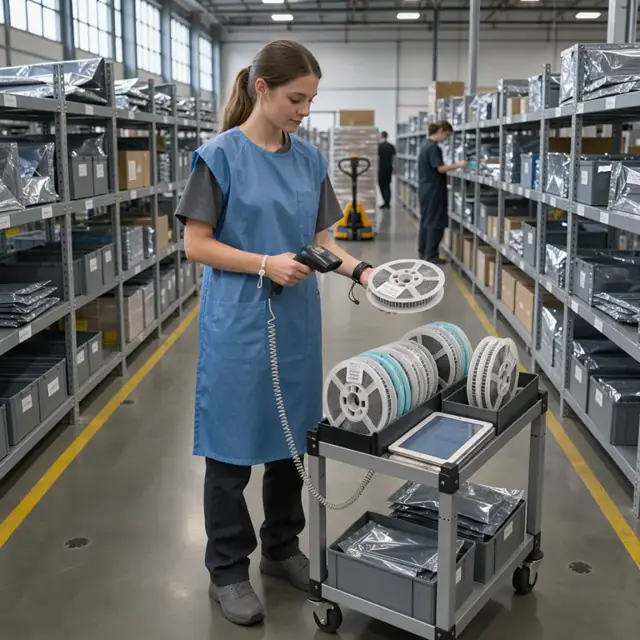
Component Planner
Explode BOMs to create accurate purchase orders and maintain component inventory levels.
Works in: Ambitious Sheets, Ambitious Tasks, Ambitious Docs · Workflows: Component purchasing and inventory management
Automates
- Calculates gross and net requirements from BOMs
- Generates purchase order drafts by supplier
- Tracks safety stock and obsolescence
- Matches receipts to open orders
Stops for a person
- Purchasing manager approves and sends all purchase orders
- Engineering must approve any component substitutions
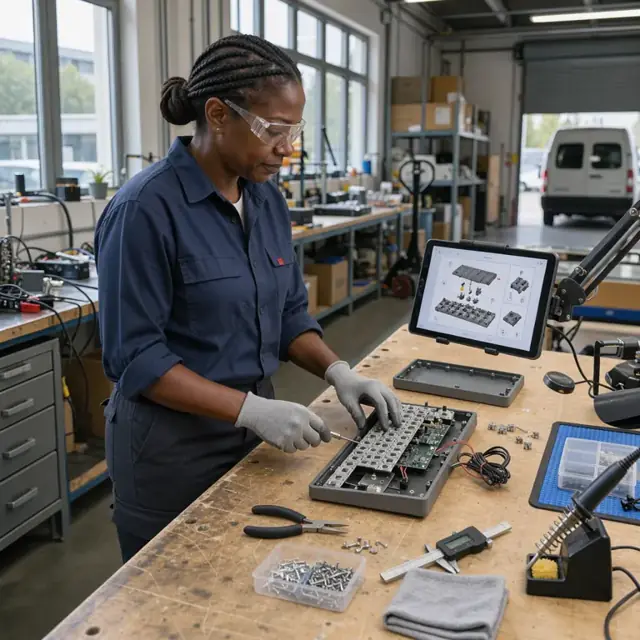
Work Instruction Author
Generate station-specific assembly instructions, test scripts and traceability forms from current BOMs.
Works in: Ambitious Docs, Ambitious Tasks, Process Optimizer · Workflows: Assembly work instruction generation
Automates
- Pulls latest BOM and drawings
- Creates illustrated work instructions per station
- Embeds firmware flashing and test steps
- Prepares serial traceability templates
Stops for a person
- Engineering reviews and approves all new or revised instructions
- Production lead confirms station readiness before release
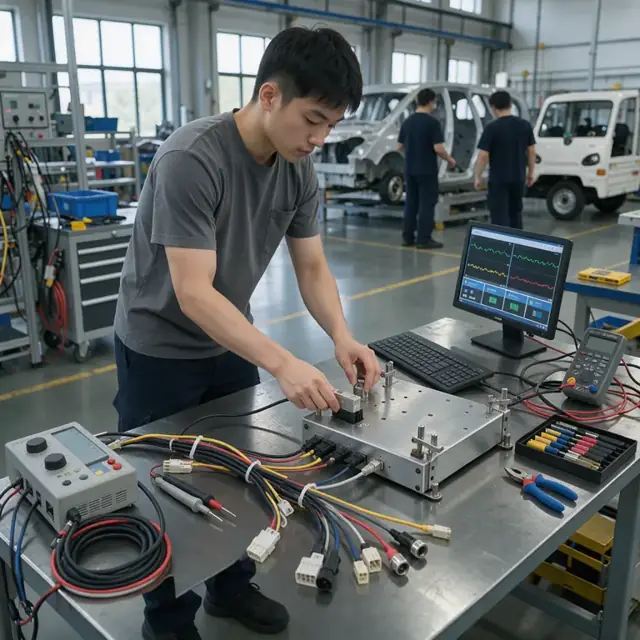
Quality Test Verifier
Record and analyze test results, manage failures and produce final test records.
Works in: Ambitious Tasks, Ambitious Sheets, Ambitious Docs · Workflows: In-process and final quality testing
Automates
- Captures data from test stations and burn-in racks
- Flags out-of-spec results for rework
- Generates test records
- Updates traceability records
Stops for a person
- A technician performs the physical tests and enters raw data
- Quality manager reviews and signs off on all final records

Shipping Coordinator
Prepare shipping labels, regulatory documents and warranty registrations after QA approval.
Works in: Ambitious Tasks, Ambitious Docs, Ambitious Sheets · Workflows: Shipping, labeling and documentation
Automates
- Generates packing lists and barcoded labels
- Creates export and commercial documents
- Prepares carrier-specific files
- Registers warranty information
Stops for a person
- A person verifies regulatory markings and signs export paperwork
- Logistics manager approves final shipment release

Engineering Change Documenter
Manage BOM revisions, update instructions and coordinate cut-in dates across production.
Works in: Ambitious Docs, Ambitious Sheets, Process Optimizer · Workflows: Engineering change and BOM update
Automates
- Compares BOM revisions and highlights changes
- Updates work instructions and test scripts
- Notifies procurement and production of impacts
- Tracks affected serial numbers
Stops for a person
- The engineering lead approves every revision before it is released
- Production manager confirms cut-in timing on the floor
Workflows
Order intake and configuration validation
Starts when: A new sales order arrives by EDI, email, portal or customer form
- Parse the configuration for each peripheral type, options, firmware and accessories
- Validate against current BOMs and approved component lists
- Check lead times for constrained parts and quote delivery
- Create a production order with serial number range and test requirements
- Draft order acknowledgment for review
Watch for: Custom firmware or enclosure colors must be confirmed with engineering; Discontinued components trigger substitution review
Production scheduling and line balancing
Starts when: Weekly or when new orders are confirmed
- Aggregate open orders by product family and due date
- Assign build quantities to assembly stations and test bays
- Balance labor and equipment across shifts
- Reserve test equipment and burn-in racks
- Flag any orders needing engineering support
Watch for: Limited number of functional test stations for specific interfaces; ESD and clean-room constraints on certain peripherals
Component purchasing and inventory management
Starts when: After schedule is released and monthly for forecasts
- Explode BOMs across all scheduled builds to generate part requirements
- Subtract current inventory and on-order quantities
- Draft purchase orders by supplier with lead-time and MOQ calculations
- Track safety stock and obsolescence alerts
- Log incoming receipts against purchase orders
Watch for: Electronic components have long and variable lead times; Counterfeit part prevention procedures must be followed
Assembly work instruction generation
Starts when: Before each production run
- Pull latest approved BOM and engineering drawings
- Generate station-specific work instructions with torque values and photos
- Include firmware flashing steps and test scripts
- Create serial-number traceability sheets
- Route instructions to each assembly station tablet
Watch for: Every revision of the BOM or firmware must be reflected instantly; Work instructions must match the exact configuration ordered
In-process and final quality testing
Starts when: At completion of each assembly station and before packing
- Record test results from functional, burn-in and environmental checks
- Capture serial numbers and lot codes at each step
- Flag failures and route to rework station
- Generate final test record for each unit
- Update traceability database
Watch for: Certain peripherals require 24-48 hour burn-in testing; All test data must be retained for warranty and audit
Shipping, labeling and documentation
Starts when: After final QA approval
- Generate packing lists, labels and serial barcodes
- Prepare export documents and commercial invoices when required
- Draft carrier labels and shipping notifications
- Register warranty information with customer data
- Close production order and update inventory
Watch for: FCC, CE and other regulatory markings must appear on correct labels; International shipments require specific tariff and origin paperwork
Engineering change and BOM update
Starts when: When engineering releases a new revision
- Compare new BOM against previous version
- Identify affected open orders and work-in-process
- Update all work instructions and test scripts
- Notify procurement of component changes
- Schedule cut-in date for new revision
Watch for: Changes must be approved by the engineering lead before release; Traceability must distinguish pre- and post-change units
Bot templates for this industry
Source: U.S. Small Business Administration, Office of Size Standards, Table of Small Business Size Standards Matched to North American Industry Classification System Codes, version March 2023 (effective 2023-03-17, NAICS 2022). Size standards are shown for reference only.