

Sign Manufacturing
Sign manufacturers produce custom signs, banners, vehicle graphics, dimensional letters and illuminated displays from client artwork or specifications. For a shop that takes orders for storefront signs, window lettering, yard signs and vehicle wraps, the specialists turn customer requests into approved artwork and material lists, artwork into production schedules and cut files, and finished signs into delivery or installation routes. Design files, material inventory, equipment maintenance and local permitting stay with the owner and shop staff.
What makes this business different
- Custom artwork and specifications that must be reviewed and approved by the customer before production begins
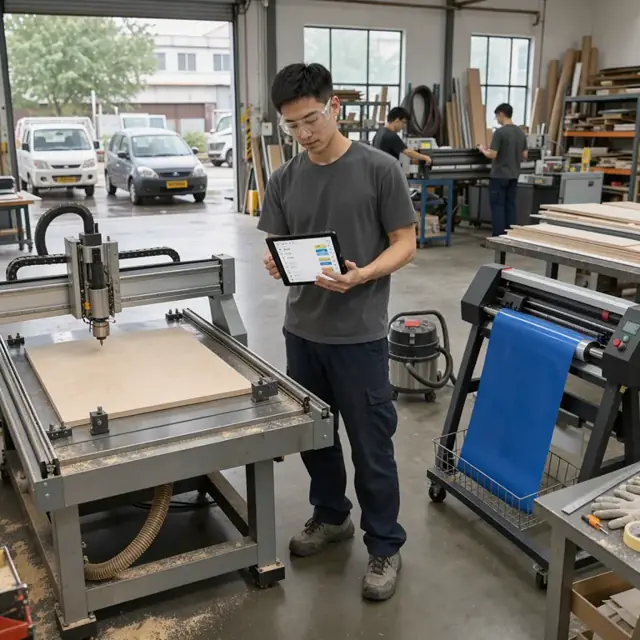
- Multiple production methods including vinyl cutting, large-format printing, CNC routing, laser engraving and channel-letter fabrication
- Material and substrate inventory with minimum orders, color matching and waste tracking from sheets and rolls
- Production scheduling around shared equipment such as plotters, printers, routers and laminators
- Permit requirements for certain installed signs that vary by city and county
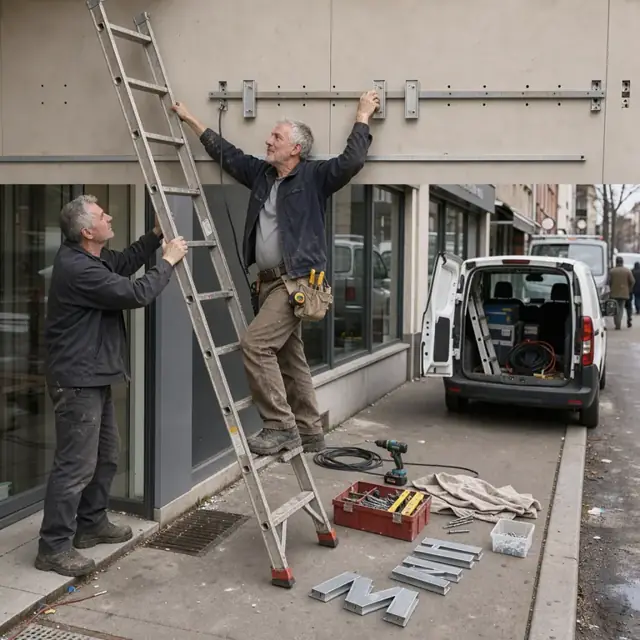
- Installation or delivery scheduling with site access, weather considerations and crew availability
- Repeat business from property managers, contractors and fleet operators who reorder similar signs
Specialist bots

Order Taker
Turn every custom sign request into a documented order with approved specifications.
Works in: Ambitious Tasks, Ambitious Docs, Email Buckets · Workflows: Order intake and artwork approval
Automates
- Reads incoming sign requests and extracts type, size, materials and location
- Creates initial job folder and specification sheet
- Drafts quote and artwork request
- Creates the order task with due date
Stops for a person
- The owner reviews and approves all quotes before sending
- Customer must approve final artwork before production
- A person sends the quote and handles payment

Design and File Preparer
Convert approved customer artwork into machine-ready production files and toolpaths.
Works in: Ambitious Docs, Ambitious Tasks · Workflows: Design and file preparation
Automates
- Organizes design files by job
- Separates layers for different materials and processes
- Adds registration marks and finishing notes
- Prepares cut files and router toolpaths
Stops for a person
- A designer checks all files for accuracy before sending to production
- The owner approves any modifications to customer artwork

Material and Inventory Manager
Turn approved orders into accurate material orders and maintain shop inventory levels.
Works in: Ambitious Sheets, Ambitious Tasks · Workflows: Material purchasing and inventory
Automates
- Calculates material needs from job specifications
- Subtracts current stock and remnant pieces
- Drafts purchase lists by supplier
- Tracks vinyl roll and sheet remnant sizes
Stops for a person
- The owner places all material orders and approves spending
- Color matching decisions are made by a person
Production Scheduler
Create daily production schedules that balance equipment capacity and due dates.
Works in: Ambitious Tasks, Ambitious Sheets · Workflows: Production scheduling and capacity
Automates
- Sequences jobs by due date and equipment requirements
- Assigns work to specific machines
- Balances printer, cutter and router time
- Generates daily machine queues
Stops for a person
- The shop manager reviews and adjusts the schedule daily
- Rush jobs are approved by the owner

Permit Coordinator
Prepare and track permit applications for installed signs according to local requirements.
Works in: Ambitious Docs, Ambitious Tasks · Workflows: Permit and code coordination
Automates
- Identifies required permits from job location
- Assembles application packages with drawings
- Tracks submission and approval dates
- Maintains permit records by job
Stops for a person
- The owner confirms which local rules apply to each sign
- People submit applications and handle all government correspondence
- The bot never certifies compliance
Installation Dispatcher
Plan installation and delivery routes and coordinate crews and equipment.
Works in: Ambitious Tasks, Ambitious Docs · Workflows: Installation and delivery dispatch
Automates
- Groups jobs by geographic area
- Schedules crews and required equipment
- Drafts customer arrival notifications
- Records job completion and photos
Stops for a person
- Crews decide on weather and site condition adjustments
- The owner approves all installation schedules and changes
- A person sends all customer messages

Customer Follow-up Host
Thank customers after completion, request feedback and prompt reorders for repeat clients.
Works in: Ambitious Tasks, Email Buckets, Ambitious Docs · Workflows: Customer follow-up and reorders
Automates
- Drafts thank-you and feedback messages
- Tracks common specifications for repeat customers
- Drafts maintenance and reorder reminders
- Organizes approved project photos
Stops for a person
- The owner approves every message before it is sent
- All offers and contracts are reviewed by a person
Workflows
Order intake and artwork approval
Starts when: A customer submits a request by form, email, text or direct message
- Capture sign type, dimensions, materials, colors, mounting method and intended location
- Request or review customer artwork or draft initial concepts from description
- Check against shop equipment capabilities and material availability
- Draft a quote including production and installation options
- Create an order task with approved specifications and due date
Watch for: Customer must approve final artwork before any cutting or printing begins; Special substrates or colors may require longer lead times
Design and file preparation
Starts when: After customer approves the quote and artwork
- Convert approved design into production-ready vector files
- Separate layers by material, color and cut versus print
- Generate toolpaths for CNC routing or engraving
- Add bleed, registration marks and finishing instructions
- Package files for each machine and create a job folder
Watch for: File formats must match specific equipment requirements; Scale and resolution must be verified for large-format output
Material purchasing and inventory
Starts when: After order is approved and weekly
- Explode approved orders into material requirements by substrate, vinyl, ink and hardware
- Subtract current inventory and par levels
- Draft purchase orders by supplier for sheets, rolls and specialty items
- Track remnant pieces for future small jobs
- Update inventory counts after receiving
Watch for: Many materials have minimum order quantities and long lead times; Color matching and batch consistency are critical for repeat orders
Production scheduling and capacity
Starts when: Daily and after new orders are approved
- Sequence jobs by due date, equipment availability and material prep time
- Assign jobs to specific machines and operators
- Use the construction scheduler to balance printer, router and assembly time
- Flag rush orders and any required overtime
- Generate daily cut and print queues
Watch for: Shared equipment creates bottlenecks between printing, cutting and finishing; Curing and drying times must be accounted for in the schedule
Permit and code coordination
Starts when: When orders involve installed signs that require permits
- Identify local jurisdiction and sign code requirements from order location
- Draft permit application packages with drawings and specifications
- Track submission, review and approval timelines
- Alert when inspections are required after installation
- Maintain records of approved permits by job
Watch for: Permit rules differ significantly by municipality; Some jurisdictions limit sign size, height and illumination
Installation and delivery dispatch
Starts when: When signs are completed and ready for delivery or install
- Group jobs by delivery area or installation site
- Schedule crews, vehicles and equipment needed for each job
- Draft customer notifications with arrival windows
- Record completion photos and any punch list items
- Update job status and trigger final invoicing
Watch for: Installation may require lifts, ladders or specialized tools; Site access and weather can affect scheduling
Customer follow-up and reorders
Starts when: After delivery or installation and on a cadence for repeat clients
- Draft thank-you and satisfaction request
- Remind fleet and property management clients of upcoming reorders
- Track common sign specifications for faster quoting next time
- Draft maintenance or replacement offers
- Gather photos for portfolio with customer permission
Watch for: Never send messages or offers without owner approval; Maintenance of installed signs may be a separate contract
Bot templates for this industry
- Sign Manufacturing (7 bots)
Source: U.S. Small Business Administration, Office of Size Standards, Table of Small Business Size Standards Matched to North American Industry Classification System Codes, version March 2023 (effective 2023-03-17, NAICS 2022). Size standards are shown for reference only.