

Other Urban Transit Systems
Other urban transit systems operate scheduled and on-demand passenger routes using vans, shuttles and small buses within cities and suburbs. For an operator running fixed weekday commuter routes plus same-day demand-response trips, the specialists turn reservation requests into confirmed bookings, bookings into daily driver schedules and vehicle assignments, and schedules into route manifests, fuel logs and maintenance calls. Drivers, dispatchers and safety staff keep licensing, vehicle inspections, hours-of-service and passenger manifests with them.
What makes this business different
- Reservations with exact pickup addresses, times, passenger counts, mobility needs and drop-off locations that must be captured precisely
- Mix of fixed daily routes and same-day demand-response trips that share the same fleet
- Daily vehicle assignments that respect driver hours-of-service, vehicle capacity and maintenance windows
- DOT, state and local vehicle inspections, CDL requirements, drug-testing logs and passenger manifest rules
- Real-time adjustments for traffic, no-shows, cancellations and same-day adds
- Fuel tracking, mileage logs, fare collection or billing by trip or subscription
- Repeat riders on commuter routes who expect consistent driver and vehicle assignments
Specialist bots

Reservation Coordinator
Convert every booking request into a confirmed passenger record with all special requirements.
Works in: Ambitious Tasks, Ambitious Docs, Email Buckets · Workflows: Reservation intake and confirmation
Automates
- Reads incoming reservation messages and forms
- Captures exact addresses, times, passenger counts and mobility needs
- Checks against route capacity and driver limits
- Drafts booking confirmations
- Creates manifest-ready passenger tasks
Stops for a person
- A dispatcher approves same-day or complex bookings
- All special mobility requests are reviewed by operations staff
- A person sends final confirmations and handles payment questions

Route and Vehicle Scheduler
Build each day's combined fixed and on-demand schedule and assign drivers and vehicles.
Works in: Ambitious Sheets, Ambitious Tasks · Workflows: Daily driver and vehicle scheduling
Automates
- Merges fixed routes with demand-response trips
- Assigns drivers within hours-of-service limits
- Matches vehicles to passenger mobility needs
- Generates driver manifests and equipment requirements
Stops for a person
- The operations manager reviews and approves the full daily schedule
- Any driver or vehicle changes are confirmed by a supervisor
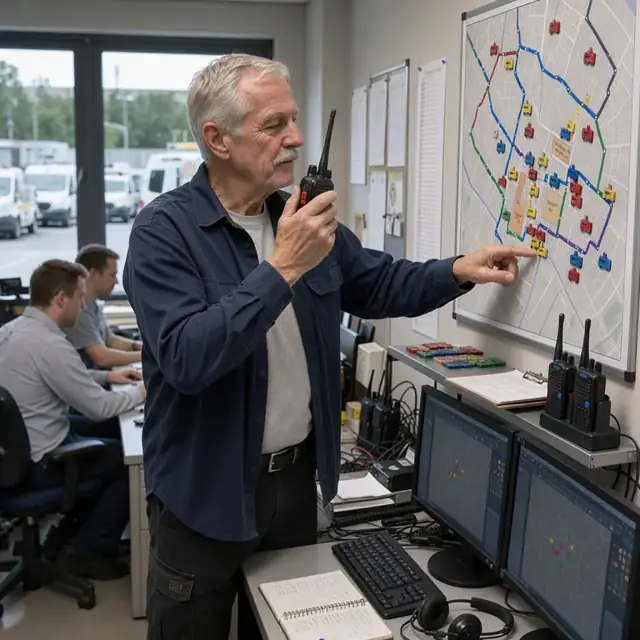
Live Dispatcher
Monitor operations in real time, handle disruptions and communicate changes to drivers and riders.
Works in: Ambitious Tasks, Process Optimizer, Email Buckets · Workflows: Real-time dispatch and adjustments
Automates
- Monitors departure and arrival status
- Reassigns trips when delays or cancellations occur
- Drafts passenger update messages
- Logs all operational changes
Stops for a person
- The lead dispatcher makes final decisions on major reroutes
- All outbound rider messages are approved before sending

Fleet Maintenance Coordinator
Track vehicle inspections, maintenance schedules, mileage and fuel to keep the fleet ready for service.
Works in: Ambitious Sheets, Ambitious Tasks, Ambitious Docs · Workflows: Vehicle maintenance and inspection tracking
Automates
- Generates daily pre-trip inspection checklists
- Logs mileage and fuel data from driver reports
- Alerts before inspection or registration due dates
- Removes vehicles from the schedule when due for service
Stops for a person
- Mechanics perform and sign off on all repairs and inspections
- The owner approves any major maintenance spending

Fare and Billing Clerk
Calculate trip fares, prepare invoices and reconcile daily collections against manifests.
Works in: Ambitious Sheets, Ambitious Docs, Ambitious Tasks · Workflows: Fare collection and billing
Automates
- Records actual trip mileage and duration
- Calculates fares or applies subscription rates
- Drafts customer and agency invoices
- Reconciles cash and card collections
Stops for a person
- The owner reviews and sends all invoices
- Any adjustments to billed amounts require manager approval

Compliance and Safety Officer
Maintain driver credentials, inspection records, hours-of-service logs and required transit reports.
Works in: Ambitious Docs, Ambitious Sheets, Ambitious Tasks · Workflows: Safety, licensing and compliance paperwork
Automates
- Compiles daily hours-of-service and inspection logs
- Tracks renewal dates for licenses and medical cards
- Generates monthly passenger and mileage summaries
- Prepares draft reports for transit authorities
Stops for a person
- Operations leadership confirms which local requirements apply
- All submitted reports and logs are reviewed and certified by people

Rider Relations Specialist
Send post-ride messages, gather feedback and encourage repeat riders to book ahead.
Works in: Email Buckets, Ambitious Tasks, Ambitious Docs · Workflows: Rider feedback and repeat booking
Automates
- Drafts thank-you and feedback messages
- Reminds regulars of schedule changes or booking windows
- Updates passenger preferences from feedback
- Prepares seasonal service reminders
Stops for a person
- The owner approves every outbound message and promotion
- Sensitive rider information is never shared without explicit direction
Workflows
Reservation intake and confirmation
Starts when: A customer books by phone message, form, email or app notification
- Capture pickup address, exact time, number of passengers, mobility aids, drop-off location and any special instructions
- Check against existing fixed route or available vehicle capacity for the day and time
- Confirm booking against driver hours-of-service limits and vehicle type
- Draft confirmation with estimated arrival window and send for approval
- Create a passenger task with full manifest-ready details
Watch for: Mobility device details must be recorded exactly and never assumed; Same-day requests must be slotted without exceeding daily driver limits
Daily driver and vehicle scheduling
Starts when: Each evening before the next service day and after all reservations close
- Combine fixed route requirements with confirmed demand-response bookings
- Assign drivers and vehicles respecting CDL, hours-of-service and maintenance status
- Balance loads across routes to avoid overtime or capacity violations
- Generate driver manifests with passenger lists, times and addresses
- Flag any trips needing wheelchair lifts or special equipment
Watch for: Driver availability and hours-of-service rules must be strictly observed; Vehicle maintenance or inspection due dates cannot be overridden
Real-time dispatch and adjustments
Starts when: Morning of service day and continuously during operations
- Release finalized manifests to drivers via mobile tasks
- Monitor live departures, arrivals and delays
- Handle same-day cancellations, no-shows and new add-on requests
- Reassign trips or vehicles when traffic or mechanical issues arise
- Log all changes and communicate updates to affected passengers
Watch for: Real-time traffic and road conditions affect routing decisions; Passenger safety and on-time performance take priority over cost
Vehicle maintenance and inspection tracking
Starts when: Daily before first trip, weekly and on inspection due dates
- Generate pre-trip inspection checklist for each vehicle
- Log mileage, fuel use and any driver-reported issues
- Track upcoming DOT inspections, registration renewals and preventative maintenance
- Remove vehicles from schedule when out of service
- Maintain digital records of all inspections and repairs
Watch for: Commercial vehicles require documented daily pre-trip inspections; State and federal inspection cycles must be followed precisely
Fare collection and billing
Starts when: After each completed trip and at month end
- Record actual trip details including mileage and time
- Calculate fares for demand-response trips or apply subscription rates
- Draft invoices or receipts for customers and agencies
- Track payments and flag overdue accounts
- Reconcile daily cash or card collections against manifests
Watch for: Some accounts are billed monthly to municipalities or employers; Accurate trip logs are required for reimbursement
Safety, licensing and compliance paperwork
Starts when: Daily after operations and on renewal or audit dates
- Compile daily driver hours-of-service logs and vehicle inspection records
- Track CDL, medical certificate and drug-testing renewal dates
- Generate monthly passenger counts and mileage summaries
- Draft required reports for local transit authorities
- Keep insurance, permits and authority filings current
Watch for: Local rules for urban transit vary by city and county; All logs and manifests must be retained for regulatory review
Rider feedback and repeat booking
Starts when: Day after service and on a recurring cadence for regulars
- Draft thank-you and ride-feedback request
- Remind regular commuters of upcoming schedule changes
- Update passenger preferences and special needs for next booking
- Draft seasonal or event-based service offers
- Log complaints or compliments for review
Watch for: Never send communications without owner approval; Privacy of rider addresses and mobility details must be protected
Bot templates for this industry
- Other Urban Transit Systems (7 bots)
Source: U.S. Small Business Administration, Office of Size Standards, Table of Small Business Size Standards Matched to North American Industry Classification System Codes, version March 2023 (effective 2023-03-17, NAICS 2022). Size standards are shown for reference only.