

Drive-In Motion Picture Theaters
Drive-in motion picture theaters schedule nightly film showings, manage projection and sound systems, sell tickets and concessions, and coordinate with film distributors. For a theater that books first-run and classic films, sells tickets online and at the gate, runs a snack bar and maintains its own projection and sound equipment, the specialists turn booking requests into confirmed film schedules, schedules into projection and concession plans, and daily operations into reconciled sales and maintenance logs. Film rights, equipment calibration and local sound ordinances stay with the owner.
What makes this business different
- Film booking agreements with distributors that specify run dates, revenue splits and print or digital delivery requirements
- Daily show schedules that align with sunset times, weather forecasts and neighboring theater blackout periods
- Projection and audio equipment that must be calibrated before each showing with backup systems ready
- Ticket sales at the gate, online and via season passes, with vehicle counts per screen
- Concession inventory that turns over nightly with hot food, cold drinks and packaged snacks
- Compliance with local noise ordinances, fire codes, parking layout inspections and film rating postings
- Repeat customers who buy season passes, attend classic film nights and respond to weather-related reschedules
Specialist bots

Film Booker
Turn distributor lists and availability into confirmed nightly film schedules and license records.
Works in: Ambitious Tasks, Ambitious Docs, Ambitious Sheets · Workflows: Film booking and rights confirmation
Automates
- Reviews distributor availability and revenue terms
- Checks calendar conflicts and sunset alignment
- Drafts booking requests and records signed agreements
- Creates film tasks with technical and license details
Stops for a person
- The owner approves all film selections and revenue splits
- Signed contracts are reviewed and filed by a person
Show Schedule Planner
Align film runtimes with sunset times and build nightly sequences including trailers and intermissions.
Works in: Ambitious Tasks, Ambitious Sheets, Process Optimizer · Workflows: Daily show scheduling and sunset alignment
Automates
- Aligns start times with sunset data
- Sequences features, trailers and ratings
- Flags films needing special projection or audio settings
- Publishes schedules to ticket and display systems
Stops for a person
- The owner confirms final nightly lineup and any weather decisions
- Sound level limits are verified by staff before opening

Ticket and Gate Coordinator
Manage advance and gate ticket sales, reconcile counts and produce nightly attendance reports.
Works in: Ambitious Tasks, Ambitious Sheets, Email Buckets · Workflows: Ticket sales and gate intake
Automates
- Opens online ticket sales and tracks season passes
- Monitors vehicle counts per screen
- Reconciles online and gate transactions
- Drafts attendance and revenue summaries
Stops for a person
- A person handles cash at the gate and approves overbook exceptions
- The owner reviews final nightly sales figures

Concession Inventory Manager
Forecast nightly concession needs, prepare stock orders and track waste from hot foods and snacks.
Works in: Ambitious Sheets, Ambitious Tasks, Ambitious Docs · Workflows: Concession inventory and nightly prep
Automates
- Forecasts demand from attendance patterns
- Builds prep lists and subtracts current inventory
- Drafts supplier orders for perishables and packaging
- Logs end-of-night counts and waste
Stops for a person
- The owner places all purchases and approves menu pricing
- Food safety temperatures are checked and logged by staff

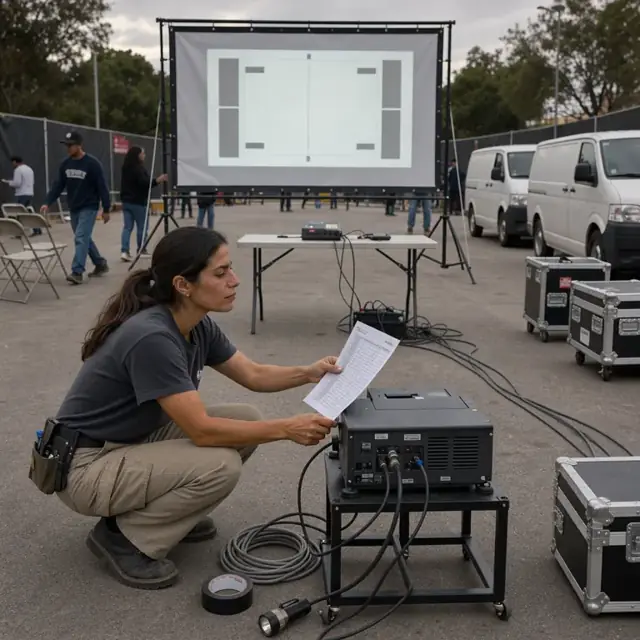
Projection and Audio Technician
Calibrate projectors and sound systems, load content and maintain equipment logs before each showing.
Works in: Ambitious Tasks, Ambitious Docs, Ambitious Sheets · Workflows: Projection equipment setup and maintenance
Automates
- Runs daily calibration checklists
- Loads digital packages and tests audio levels
- Logs lamp hours and flags service needs
- Prepares backup systems and emergency equipment
Stops for a person
- The owner confirms audio levels stay within local ordinances
- All equipment repairs and parts purchases are approved by a person
Customer Communications Host
Draft show reminders, weather updates, season pass notices and marketing messages for upcoming films.
Works in: Ambitious Tasks, Email Buckets, Ambitious Docs · Workflows: Customer communications and season pass management
Automates
- Drafts nightly reminders and weather reschedule notices
- Tracks season pass usage and expirations
- Prepares offers for classic film nights
- Organizes customer feedback by film title
Stops for a person
- The owner approves every message before it is sent
- Season pass policy changes are decided by the owner

Compliance and Safety Clerk
Run daily safety checklists, log sound and light measurements and track license and inspection dates.
Works in: Ambitious Tasks, Ambitious Docs, Ambitious Sheets · Workflows: Regulatory and safety logging
Automates
- Generates daily fire and safety checklists
- Records sound measurements and equipment logs
- Tracks renewal dates for licenses and insurance
- Maintains film rating and accessibility records
Stops for a person
- The owner confirms which local ordinances and inspection requirements apply
- All inspection responses and corrective actions are handled by people
Workflows
Film booking and rights confirmation
Starts when: Distributor availability list arrives or weekly booking window opens
- Review distributor lists for available titles, run lengths and revenue splits
- Check against theater calendar for open nights and avoid conflicts with neighboring venues
- Draft booking requests with preferred dates and formats
- Record signed agreements, digital keys or print shipping details
- Create a film task with technical specs and license terms
Watch for: Revenue splits must be captured exactly as contracted; Digital cinema packages require secure key delivery before showtime
Daily show scheduling and sunset alignment
Starts when: Weekly and before each operating day
- Align film start times with local sunset data and civil twilight
- Group double features or matinees by runtime and rating
- Build the nightly sequence of trailers, features and intermissions
- Flag any films needing special projection settings or audio adjustments
- Publish the schedule to ticket systems and marquee
Watch for: Weather cancellations must be decided before ticket sales close; Sound levels must stay within local ordinance limits
Ticket sales and gate intake
Starts when: When tickets go on sale and each evening at opening
- Open online sales for advance tickets and season passes
- Monitor vehicle counts per screen to avoid overbooking
- Capture ticket type, payment and vehicle information at the gate
- Reconcile online and gate sales at close
- Draft nightly attendance and revenue report
Watch for: Vehicle capacity per screen cannot be exceeded for safety and sight lines; Season pass holders must be verified without slowing the gate line
Concession inventory and nightly prep
Starts when: Weekly ordering and each operating afternoon
- Forecast concession demand from expected attendance and past nights
- Build a prep list for hot foods, popcorn and drinks
- Subtract current stock and draft supplier orders
- Track waste, spoilage and end-of-night counts
- Generate price and menu boards
Watch for: Perishable food items are prepared just in time for opening; Packaging and supplies must be stored away from projection heat
Projection equipment setup and maintenance
Starts when: Afternoon of each show day and on a monthly cadence
- Run calibration checks on projectors, lamps and sound systems
- Load the correct digital cinema package or thread the print
- Test audio levels against ordinance limits and neighboring screens
- Log equipment hours and flag maintenance needs
- Prepare backup projector and emergency lighting
Watch for: Lamp life and focus must be verified before gates open; Digital keys expire and must be refreshed per contract
Customer communications and season pass management
Starts when: Daily and on a seasonal cadence
- Draft show reminders, weather updates and reschedule notices
- Track season pass usage and expirations
- Send classic film series offers to past attendees
- Collect and organize feedback on film choices and service
- Draft marketing messages for upcoming features
Watch for: All outbound messages must be approved before sending; Weather-related changes require rapid notification
Regulatory and safety logging
Starts when: Each operating day and on inspection or renewal dates
- Generate daily safety checklist for fire lanes, exits and emergency equipment
- Log projection light levels, sound measurements and parking compliance
- Track film rating postings and accessibility notices
- Monitor renewal dates for business licenses and insurance
- Maintain equipment service records
Watch for: Local noise and light ordinances vary by municipality; Fire marshal and health inspections require specific documentation
Bot templates for this industry
- Drive-In Motion Picture Theaters (7 bots)
Source: U.S. Small Business Administration, Office of Size Standards, Table of Small Business Size Standards Matched to North American Industry Classification System Codes, version March 2023 (effective 2023-03-17, NAICS 2022). Size standards are shown for reference only.