

Video Tape and Disc Rental
Video tape and disc rental stores accept reservations, track physical media inventory, manage returns and late fees, schedule staff for peak rental periods, and maintain rental agreements while handling supplier reorders for new releases. For a store that rents DVDs, Blu-rays and game discs with in-store pickup, online reservations and a 48-hour return window, the specialists turn customer requests into reserved titles, reservations into daily pull lists and restock orders, and returns into fee calculations and shelf restocking. Pricing tiers, release windows and copy limits stay with the owner.
What makes this business different
- Physical media inventory with unique copies that must be scanned in and out accurately
- Reservation holds that lock specific discs for pickup on set days or times
- Daily cycle of pulling reserved titles, processing returns, calculating late fees and restocking shelves
- New release street dates that control when titles become available for rent
- Rental agreements with damage waivers, late fees and return conditions
- Peak weekend and evening demand requiring staff scheduling and queue management
- Supplier reorder cycles for popular titles and seasonal promotions tied to movie releases
Specialist bots
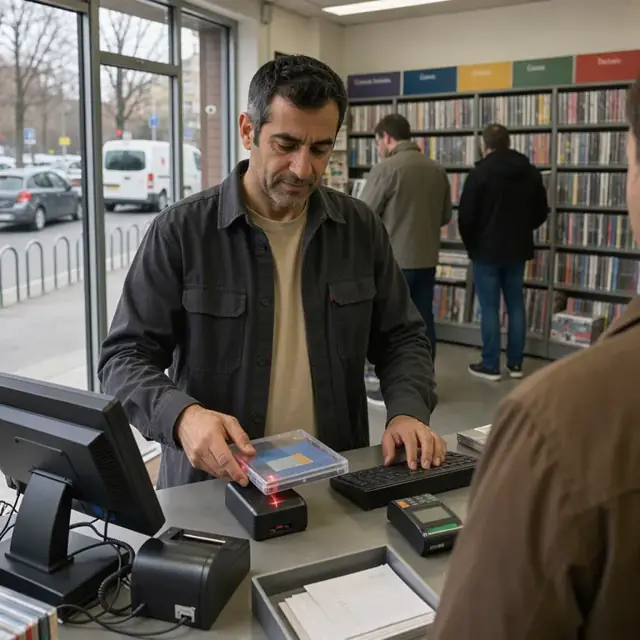
Reservation Clerk
Convert every customer request into a confirmed reservation with inventory holds.
Works in: Ambitious Tasks, Ambitious Docs, Email Buckets · Workflows: Reservation intake and hold management
Automates
- Reads incoming reservation requests from all channels
- Checks real-time availability and places holds
- Records pickup windows and formats
- Drafts confirmations with due dates
- Adds items to the daily pull list
Stops for a person
- The owner approves any exceptions to street dates
- A person handles payment collection and account issues
- Customer confirms the hold before it is finalized

Daily Pull List Coordinator
Generate and organize the daily list of reserved titles for pickup and prepare them for customers.
Works in: Ambitious Tasks, Ambitious Sheets, Ambitious Docs · Workflows: Daily pull list and opening preparation
Automates
- Builds the morning pull list sorted by time
- Marks specific copies as reserved
- Groups items for efficient retrieval
- Flags titles that need urgent reordering
Stops for a person
- Staff physically pull and verify each disc from the shelf
- The manager reviews the list before opening

Return Inspector and Fee Calculator
Process every returned disc, inspect condition, calculate fees and update inventory status.
Works in: Ambitious Tasks, Ambitious Docs, Ambitious Sheets · Workflows: Return intake, inspection and fee calculation
Automates
- Closes rental records upon scan
- Logs inspection results and damage notes
- Calculates late fees according to the agreement
- Updates status to available or repair needed
- Drafts return receipts
Stops for a person
- A person performs the physical inspection and decides on damage claims
- The owner approves any waived fees or adjustments
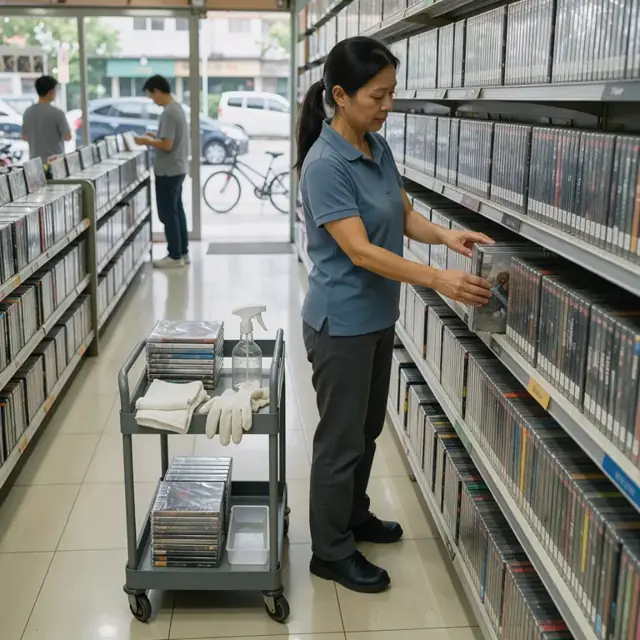
Inventory and Reorder Manager
Restock returned discs, track par levels and draft orders for new and replacement titles.
Works in: Ambitious Sheets, Ambitious Tasks, Ambitious Docs · Workflows: Inventory restocking and reorder
Automates
- Moves cleaned discs back to shelf locations
- Calculates current stock against par levels
- Drafts reorder lists by supplier and title
- Tracks street dates and expected arrivals
Stops for a person
- The owner places all purchase orders and spends money
- A person physically shelves new stock and verifies counts

Rental Agreement Handler
Create, record and track each rental agreement with exact disc details and terms.
Works in: Ambitious Docs, Contract Analyzer, Ambitious Tasks · Workflows: Rental agreement creation and tracking
Automates
- Pulls customer history and account notes
- Generates agreements listing every title and disc
- Records scan-out of each physical copy
- Tracks due dates and conditions
Stops for a person
- The customer reviews and signs the agreement
- A person collects payment and hands over the discs
- The owner confirms any custom terms

Staff Schedule Planner
Build weekly staff schedules that cover peak rental hours and assign daily tasks.
Works in: Ambitious Sheets, Process Optimizer, Ambitious Tasks · Workflows: Staff scheduling and peak coverage
Automates
- Analyzes historical volume by day and hour
- Creates coverage for evenings and weekends
- Assigns tasks such as returns or shelving
- Adjusts for new release spikes
Stops for a person
- The owner approves the final schedule and any changes
- Staff confirm their availability

Overdue and Late Fee Collector
Identify overdue rentals, calculate fees, send reminders and track resolution.
Works in: Ambitious Tasks, Email Buckets, Ambitious Sheets · Workflows: Late fee and overdue management
Automates
- Finds all rentals past due dates
- Calculates accumulated fees per agreement
- Drafts reminder notices for approval
- Places reservation holds until resolved
- Logs payments against balances
Stops for a person
- The owner approves all customer notices and fee adjustments
- A person makes collection calls when needed

Compliance and Permit Clerk
Track business licenses, permits and run monthly safety and opening checklists.
Works in: Ambitious Tasks, Ambitious Docs, Ambitious Sheets · Workflows: Business license and safety compliance tracking
Automates
- Generates monthly opening and closing procedure checklists
- Tracks renewal dates for licenses, tax permits and certificates
- Logs required inspection due dates
- Maintains current copies of all local filings
Stops for a person
- The owner confirms which local rules and permits apply to the store
- Inspections and filings are completed and signed by people
- The bot never certifies compliance
Workflows
Reservation intake and hold management
Starts when: A customer requests a title by phone, in-store, email or online form
- Capture the title, format, number of copies needed and pickup window
- Check availability against current inventory and existing holds
- Place a hold on specific copies and record the reservation details
- Draft a confirmation with pickup instructions and return due date
- Create a task for the daily pull list if the pickup is imminent
Watch for: New releases cannot be reserved before street date; Holds expire after a set window if not picked up
Daily pull list and opening preparation
Starts when: Each morning before opening and before each shift change
- Generate the list of reserved titles with customer names and pickup times
- Locate and pull physical discs from shelves or back stock
- Scan each pulled item to mark it as reserved and update location
- Group items by pickup time or customer
- Flag any titles that need replacement copies from supplier
Watch for: Physical discs can be misplaced on shelves; Multiple customers may request the same popular title on the same day
Return intake, inspection and fee calculation
Starts when: Customer returns discs in-store or via drop box
- Scan returned discs to close the rental record
- Inspect each disc for damage and log any issues
- Calculate any late fees or damage charges based on the agreement
- Update inventory status to available or needs cleaning
- Draft receipt and fee invoice for the customer
Watch for: Damage claims must follow the exact terms the owner has set; Discs often need cleaning before being returned to shelf
Inventory restocking and reorder
Starts when: After returns are processed and weekly for new releases
- Move inspected and cleaned discs back to correct shelf locations
- Identify titles below par levels or with high demand
- Draft reorder list for new releases and replacement copies
- Track supplier street dates and expected arrival
- Update system with new stock once received and inspected
Watch for: Physical shelf space is limited and organized by genre and format; Reorders must respect street dates set by studios
Rental agreement creation and tracking
Starts when: When a customer picks up reserved items or makes a new rental
- Pull customer account details and past rental history
- Generate the rental agreement with due dates, fees and conditions
- Record the exact copies rented and scan them out of inventory
- Collect payment or apply account credit
- Provide the customer with the agreement copy and due date reminder
Watch for: Repeat customers may have standing damage waivers or account notes; Agreements must list every disc rented by title and disc number
Staff scheduling and peak coverage
Starts when: Weekly and before holidays or new release dates
- Review historical rental volume by day and time
- Create the weekly staff schedule with coverage for peak evening and weekend hours
- Assign specific tasks such as returns processing or shelf restocking
- Adjust schedule when high-demand titles create longer lines
- Track staff availability and time-off requests
Watch for: Weekend evenings see the highest volume of pickups and returns; New release days require extra coverage for lines and phone calls
Late fee and overdue management
Starts when: Daily after due dates and on a weekly batch basis
- Identify all overdue rentals past the return window
- Calculate accumulated late fees per agreement
- Draft reminder notices for customers with contact details
- Apply holds on future reservations until resolved
- Log payments received against outstanding fees
Watch for: Overdue discs tie up inventory that cannot be rented to others; Fee policies must be applied uniformly but can be adjusted by the owner
Business license and safety compliance tracking
Starts when: Monthly and on renewal dates
- Generate monthly checklist for store opening and closing procedures
- Track business license, sales tax permit and occupancy certificate renewal dates
- Log any required fire safety or electrical inspections for the premises
- Maintain current copies of all required local rental business filings
Watch for: Local business ordinances for media rental vary by city and county; The owner confirms which permits and filings apply to the store
Bot templates for this industry
- Video Tape and Disc Rental (8 bots)
Source: U.S. Small Business Administration, Office of Size Standards, Table of Small Business Size Standards Matched to North American Industry Classification System Codes, version March 2023 (effective 2023-03-17, NAICS 2022). Size standards are shown for reference only.