

Home Health Equipment Rental
Home health equipment rental businesses supply, deliver, set up, maintain and retrieve durable medical equipment such as hospital beds, wheelchairs, oxygen concentrators, walkers, patient lifts and CPAP machines for patients recovering at home. Orders arrive via physician referrals, discharge planners or direct patient requests. The specialists turn each new request into a verified rental agreement, schedule delivery and retrieval, track equipment location and maintenance status, manage cleaning and refurbishment cycles, handle insurance paperwork, and generate reorder or upgrade prompts while clinical staff confirm medical appropriateness.
What makes this business different
- Physician orders, prescriptions or discharge paperwork that must be obtained and matched to each rental request
- Equipment-specific cleaning, disinfection and preventive-maintenance protocols between every patient use
- Tracking serial numbers, location, condition and availability of each physical asset across a fleet
- Insurance verification, prior-authorization numbers and documentation that must be collected before delivery
- Coordinated delivery, setup, patient instruction and pickup appointments that respect home access and patient schedules
- State and local medical-device licensing, oxygen-handling permits and infection-control logs that must stay current
- Repeat patients who may extend rentals, upgrade equipment or need additional items during recovery
Specialist bots

Referral Intake Coordinator
Convert every new referral or patient request into a verified rental order with complete documentation.
Works in: Ambitious Tasks, Ambitious Docs, Email Buckets · Workflows: Referral and order intake
Automates
- Reads incoming referral messages, faxes and portal submissions
- Extracts equipment type, physician details and delivery address
- Checks inventory availability
- Drafts the rental agreement for review
- Creates the delivery task
Stops for a person
- Clinical staff confirm medical necessity and appropriateness of equipment
- A person reviews and sends all agreements and handles missing documentation
- Owner approves any non-standard rental terms

Delivery Scheduler
Assign delivery and setup appointments that match technician availability, equipment readiness and patient schedules.
Works in: Ambitious Tasks, Ambitious Docs · Workflows: Delivery and setup scheduling
Automates
- Checks technician calendars and vehicle loads
- Suggests optimal delivery windows
- Drafts confirmation messages and preparation instructions
- Generates equipment-specific setup checklists
Stops for a person
- The technician confirms feasibility for complex home setups
- A person makes the final call to the patient and sends confirmations

Equipment Asset Manager
Track every piece of equipment by serial number, location, condition and maintenance status.
Works in: Ambitious Sheets, Ambitious Tasks, Ambitious Docs · Workflows: Equipment inventory and location tracking
Automates
- Updates status after each delivery and retrieval
- Flags units due for maintenance
- Calculates utilization and suggests reorder points
- Maintains service history for each asset
Stops for a person
- The owner approves capital purchases for new equipment
- Technicians physically verify serial numbers during transfers

Refurbishment and Maintenance Coordinator
Turn returned equipment into clean, tested and ready-to-rent assets through documented cleaning and inspection cycles.
Works in: Ambitious Tasks, Ambitious Docs, Ambitious Sheets · Workflows: Cleaning, maintenance and refurbishment
Automates
- Generates equipment-specific disinfection checklists
- Logs completion of cleaning steps
- Schedules follow-up service for complex devices
- Moves cleared units back to available status
Stops for a person
- A certified technician performs and signs off on biomedical testing
- The owner reviews any units flagged as damaged or missing parts

Insurance and Billing Specialist
Prepare insurance verification requests, track authorizations and draft monthly rental claims.
Works in: Ambitious Docs, Ambitious Sheets, Ambitious Tasks · Workflows: Insurance verification and billing support
Automates
- Assembles required documentation for each payer
- Tracks authorization numbers and dates
- Generates monthly claim drafts
- Flags rentals nearing maximum allowable periods
Stops for a person
- A person reviews every claim before submission
- The owner approves any patient responsibility statements
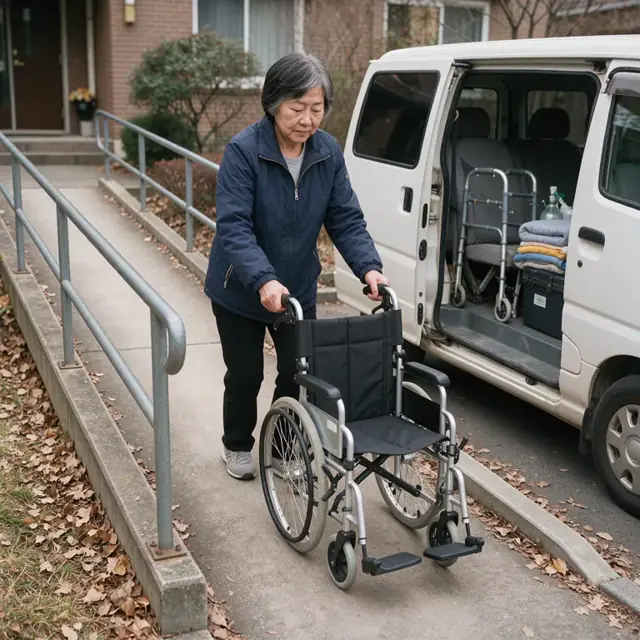
Retrieval Route Dispatcher
Plan pickup routes for ending rentals and track successful equipment returns.
Works in: Ambitious Tasks, Ambitious Docs · Workflows: Retrieval and pickup routing
Automates
- Groups pickups by area and technician schedule
- Drafts appointment reminder messages
- Creates detailed retrieval tasks with equipment lists
- Records returned assets and notes any discrepancies
Stops for a person
- The driver decides on same-day route changes due to traffic or access issues
- A person approves all outbound messages to patients
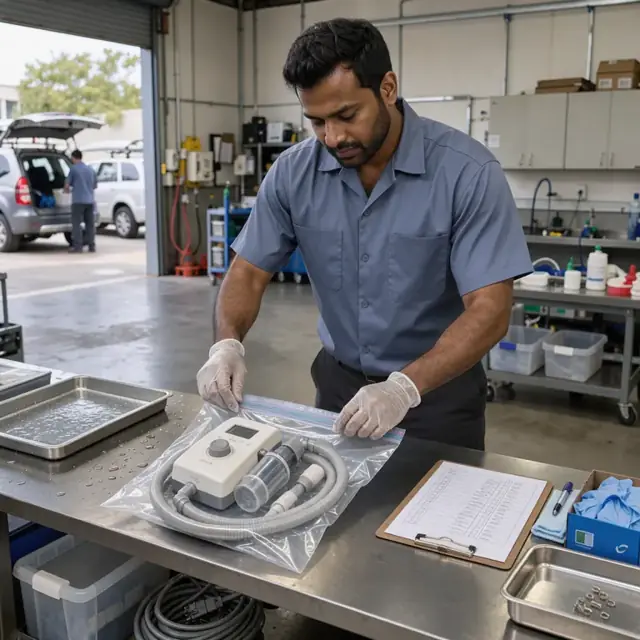
Compliance and Permit Clerk
Maintain current licenses, track renewal dates and organize cleaning and maintenance logs for inspection readiness.
Works in: Ambitious Tasks, Ambitious Docs, Ambitious Sheets · Workflows: Licensing, permits and compliance tracking
Automates
- Lists all permits and certifications with expiration dates
- Generates renewal preparation checklists
- Organizes maintenance and cleaning logs
- Alerts before any license or policy expires
Stops for a person
- The owner confirms which specific state and local requirements apply
- People handle actual renewal filings and inspections
- The bot never certifies compliance
Workflows
Referral and order intake
Starts when: A new referral, discharge summary or patient request arrives by fax, email, portal or phone message
- Capture patient details, requested equipment type, physician order and delivery address
- Match the request against available inventory by serial number and condition
- Draft the rental agreement with rates, duration and insurance information
- Flag any missing prescriptions or authorizations for immediate follow-up
- Create a delivery task with complete patient and equipment specs
Watch for: Physician orders must be obtained exactly as written and never assumed; Certain equipment requires documented medical necessity before delivery
Delivery and setup scheduling
Starts when: Rental agreement is signed and insurance information is verified
- Check technician availability and patient schedule for delivery window
- Assign appropriate vehicle and equipment load for the route
- Draft confirmation messages with arrival window and preparation instructions
- Generate setup checklist specific to the equipment type
- Record signed delivery and patient instruction acknowledgment
Watch for: Setup requires physical access inside the home and may need stairs or elevators; Patient or caregiver must be present for instruction
Equipment inventory and location tracking
Starts when: Daily at start of day and after every delivery or retrieval
- Update each asset's status, location and assigned patient
- Flag equipment due for cleaning, inspection or preventive maintenance
- Calculate current utilization and forecast shortages by equipment category
- Generate reorder suggestions for new or replacement units
- Maintain depreciation and service history records
Watch for: Each piece of equipment has a unique serial number that must be scanned at every transfer; Oxygen and certain respiratory devices have additional regulatory tracking requirements
Cleaning, maintenance and refurbishment
Starts when: Equipment is returned or reaches scheduled maintenance interval
- Log return date, condition and any reported issues
- Generate a disinfection and inspection checklist matched to the equipment type
- Schedule biomedical technician review for complex devices
- Move cleaned and tested units back into available inventory
- Track turnaround time and flag units that exceed acceptable cycle limits
Watch for: Infection-control standards require documented cleaning steps between patients; Certain devices must be serviced by certified technicians
Insurance verification and billing support
Starts when: New rental starts, monthly on active rentals, and at end of rental period
- Draft insurance verification request with required documentation
- Track prior-authorization numbers and approval dates
- Generate monthly rental claims and renewal paperwork
- Flag rentals approaching insurance maximum allowable periods
- Draft patient responsibility statements when applicable
Watch for: Many rentals are reimbursed only after specific documentation is supplied; Different payers have different rules for purchase options versus continued rental
Retrieval and pickup routing
Starts when: Rental end date approaches or extension is declined
- Confirm end date with patient or discharge planner
- Group pickups by geographic area and technician availability
- Draft pickup appointment messages and reschedule if needed
- Create retrieval task with equipment list and home access notes
- Record returned equipment and any missing accessories
Watch for: Patients may be unavailable or have changed addresses; Equipment must be retrieved within contracted time frames to avoid revenue loss
Licensing, permits and compliance tracking
Starts when: Weekly review and on fixed renewal dates
- List all licenses, permits, insurance policies and technician certifications with expiration dates
- Generate renewal checklists and required documentation
- Maintain cleaning and maintenance logs for inspection readiness
- Update equipment instruction sheets and warning labels as regulations change
- Alert on upcoming expirations
Watch for: Rules vary by state for medical equipment suppliers and oxygen providers; The owner confirms which specific licenses apply to the business
Bot templates for this industry
- Home Health Equipment Rental (7 bots)
Source: U.S. Small Business Administration, Office of Size Standards, Table of Small Business Size Standards Matched to North American Industry Classification System Codes, version March 2023 (effective 2023-03-17, NAICS 2022). Size standards are shown for reference only.