

Office Machinery and Equipment Rental and Leasing
Office machinery and equipment rental and leasing companies manage inventories of copiers, printers, scanners, projectors, computers, servers and related business equipment. They handle inbound rental requests, prepare assets for delivery or pickup, schedule technicians for installation and maintenance, track lease terms and renewals, manage returns and refurbishment, and generate invoices. The specialists convert customer inquiries into booked rentals, turn rental dates into dispatch and delivery schedules, maintain equipment history and required paperwork, and keep the asset inventory accurate and ready for the next job. Pricing, lease agreements and safety decisions stay with the owner.
What makes this business different
- Rental requests with specific equipment configurations, quantities, delivery windows and on-site setup needs
- Asset tracking by serial number, location, maintenance history and depreciation schedule
- Scheduled preventive maintenance, calibration and software updates that must occur before each rental
- Lease contracts with varying terms, early termination options, insurance requirements and end-of-lease return conditions
- Coordinated delivery, installation, training and pickup that often require two-person crews or technicians
- Inventory that must be cleaned, tested, repaired and restocked between customers
- Local business licenses, equipment safety standards and customer site access permits
- Repeat corporate customers with standing orders and seasonal demand spikes for events or fiscal year ends
Specialist bots

Rental Intake Specialist
Convert every customer equipment request into a priced, availability-checked rental task.
Works in: Ambitious Tasks, Ambitious Sheets, Ambitious Docs · Workflows: Rental request intake and quoting
Automates
- Reads incoming rental inquiries from all channels
- Matches requested models and accessories to current inventory
- Drafts quotes with rates, delivery fees and insurance options
- Creates the rental task with site notes
Stops for a person
- The owner reviews and approves all quotes before sending
- Special configuration or pricing exceptions require owner sign-off

Lease Contract Preparer
Assemble lease agreements with correct equipment details, terms and conditions for owner review.
Works in: Ambitious Docs, Contract Analyzer, Ambitious Tasks · Workflows: Lease contract preparation and review
Automates
- Populates lease templates with customer and equipment data
- Inserts owner-confirmed insurance and return clauses
- Flags non-standard language
- Generates serial-specific addendums and tracks renewal dates
Stops for a person
- A person reviews every contract before it is sent for signature
- The owner confirms jurisdiction-specific requirements

Delivery and Installation Dispatcher
Turn confirmed rental start dates into technician routes, delivery checklists and installation tasks.
Works in: Ambitious Tasks, Ambitious Docs · Workflows: Delivery and installation scheduling
Automates
- Assigns technicians and vehicles to time windows
- Builds daily delivery routes respecting truck capacity
- Generates pre-delivery and installation checklists
- Logs delivery confirmation and billing start
Stops for a person
- Technicians approve route changes due to traffic or site conditions
- Installation sign-off is performed and recorded by the technician on site

Maintenance and Repair Scheduler
Schedule preventive maintenance, repairs and calibration based on equipment history and return dates.
Works in: Ambitious Tasks, Ambitious Sheets, Process Optimizer · Workflows: Preventive maintenance and repair scheduling
Automates
- Pulls service intervals and history for each asset
- Creates technician work orders
- Updates asset status and next-service dates
- Removes units from available inventory during service
Stops for a person
- Certified technicians perform and document the actual maintenance work
- The owner approves any major repair expenditures

Asset Inventory Manager
Maintain accurate serial-level inventory, condition status and refurbishment workflow for all equipment.
Works in: Ambitious Sheets, Ambitious Tasks, Ambitious Docs · Workflows: Asset inventory and refurbishment
Automates
- Reconciles physical counts with records
- Flags units needing refurbishment or repair
- Updates location and readiness status
- Forecasts stock against upcoming rentals
Stops for a person
- The owner decides on new equipment purchases or disposals
- Photographic condition records are reviewed by a person before re-rental

Billing and Collections Specialist
Generate accurate rental invoices, track payments and prepare renewal or final statements.
Works in: Ambitious Sheets, Ambitious Docs, Email Buckets · Workflows: Invoice generation and collections
Automates
- Pulls active leases and usage data
- Creates monthly invoices and overage charges
- Drafts renewal and late notices
- Reconciles incoming payments
Stops for a person
- The owner approves all invoices and collections communications before they are sent
- Adjustments to final invoices require owner authorization
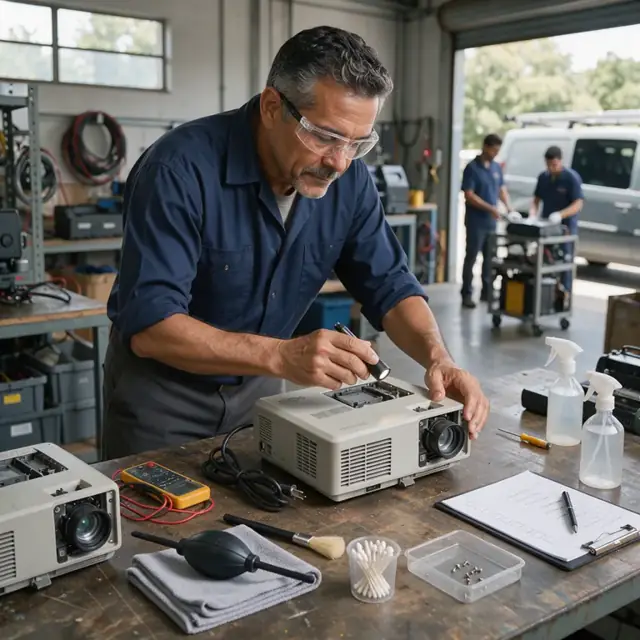
Return and Refurbishment Processor
Manage equipment returns, document condition, route for cleaning or repair and close out leases.
Works in: Ambitious Tasks, Ambitious Docs, Ambitious Sheets · Workflows: Equipment return, inspection and restock
Automates
- Generates return authorizations and checklists
- Records condition, damage and missing items
- Routes assets to the correct post-return workflow
- Closes the lease record and updates inventory status
Stops for a person
- A technician performs the physical inspection and data wipe
- The owner reviews and approves any damage claims or restocking decisions
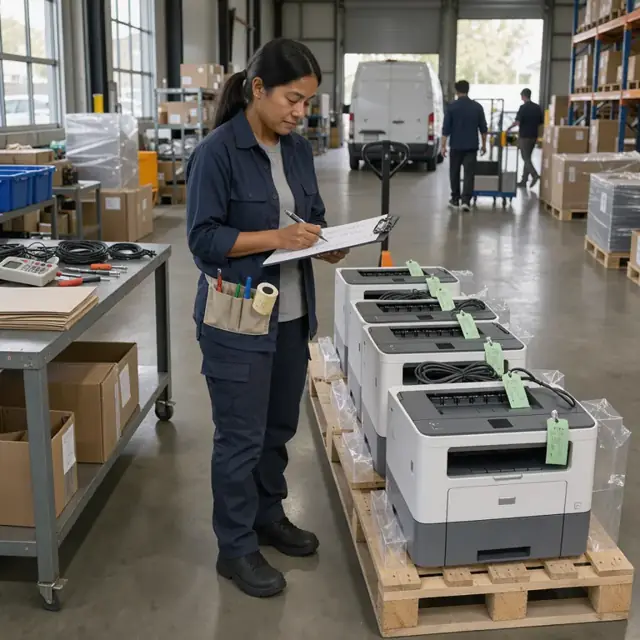
Compliance and Permit Clerk
Track license, permit and safety paperwork and generate required checklists for each job.
Works in: Ambitious Tasks, Ambitious Docs, Ambitious Sheets · Workflows: Permits, licensing and safety paperwork
Automates
- Tracks renewal dates for licenses, registrations and certifications
- Generates site-specific access permit requests and safety checklists
- Logs pre-delivery inspections and test results
- Maintains equipment-specific safety and calibration records
Stops for a person
- The owner confirms which local rules and safety standards apply
- Inspections and corrective actions are handled by people
- The bot never certifies compliance
Workflows
Rental request intake and quoting
Starts when: A customer submits an inquiry by form, email or phone message
- Capture equipment type, quantity, configuration details, rental duration, delivery location and site requirements
- Check current inventory availability and nearest service-ready units by serial number
- Draft a quote that includes delivery, installation, monthly rate and insurance options
- Create a rental task with customer requirements and site access notes
- Send the quote draft for owner approval
Watch for: Exact model and accessory requirements must match what is in stock or can be sourced; Site-specific needs such as power requirements, network access or floor loading limits
Lease contract preparation and review
Starts when: Quote is accepted or on renewal notice
- Pull the standard lease template and populate with customer details, equipment list and term
- Insert insurance, maintenance and return conditions confirmed by the owner
- Flag any non-standard clauses for owner review
- Generate serial-number-specific addendums and delivery checklist
- Track expiration and renewal dates in the master schedule
Watch for: Lease language and insurance limits vary by customer type and jurisdiction; All contracts must be reviewed and signed by an authorized person
Delivery and installation scheduling
Starts when: Signed lease or confirmed rental start date
- Assign technician and vehicle to the delivery window
- Build a daily route that respects equipment weight, truck capacity and customer availability
- Generate pre-delivery checklist including tested equipment, cables, manuals and training materials
- Create task for on-site installation, testing and customer sign-off
- Log delivery confirmation and start of billing period
Watch for: Many deliveries require two-person teams or specialized lifting equipment; Installation must be completed before the customer can begin using the asset
Preventive maintenance and repair scheduling
Starts when: Scheduled maintenance interval, return of equipment or customer service request
- Pull equipment history and upcoming due dates from the inventory log
- Create work orders for cleaning, calibration, toner replacement or software patching
- Schedule technician dispatch or in-shop service slot
- Update asset status to 'in maintenance' and remove from available inventory
- Record completed work and new next-service date
Watch for: Certain copiers and printers must be serviced by certified technicians per manufacturer guidelines; Returned equipment cannot be re-rented until it passes inspection and cleaning
Asset inventory and refurbishment
Starts when: Weekly and after every return
- Reconcile physical assets against the master inventory sheet
- Flag units due for refurbishment, battery replacement or cosmetic repair
- Update location, condition and readiness status for each serial number
- Forecast upcoming demand against available ready-to-rent stock
- Draft reorder or acquisition list for equipment that falls below par levels
Watch for: Depreciation schedules and residual values must be maintained for accounting; Equipment must be photographed and documented before and after each rental cycle
Invoice generation and collections
Starts when: Monthly on the billing cycle and at lease end
- Pull active leases and meter readings or usage data
- Generate invoices that include rental fees, maintenance charges and overage charges
- Draft late notices and renewal offers for leases nearing end
- Reconcile payments against open invoices
- Flag accounts for follow-up or equipment retrieval
Watch for: Some customers require detailed usage reports or purchase-order matching; Early termination fees and buyout calculations must be exact
Equipment return, inspection and restock
Starts when: Lease end date or customer-initiated return request
- Schedule pickup and generate return authorization with checklist
- Record returned asset condition, missing accessories and damage photos
- Route equipment to cleaning, repair or disposal path
- Close the lease, stop billing and update inventory status
- Draft final invoice or refund if applicable
Watch for: Damage claims and missing parts must be documented before restocking; Certain equipment must be wiped of customer data per security requirements the owner confirms
Permits, licensing and safety paperwork
Starts when: On renewal dates, new equipment arrival and before each delivery
- Track business license, vehicle registration and technician certification renewal dates
- Generate site-specific access permit requests and equipment safety checklists
- Log pre-delivery safety inspections and post-installation test results
- Maintain equipment-specific safety and calibration records by serial number
Watch for: Rules differ by city, county and state for commercial equipment use; The owner confirms which permits and safety standards apply to each job
Bot templates for this industry
Source: U.S. Small Business Administration, Office of Size Standards, Table of Small Business Size Standards Matched to North American Industry Classification System Codes, version March 2023 (effective 2023-03-17, NAICS 2022). Size standards are shown for reference only.