

Other Computer Related Services
Providers of custom computer services such as network setup, cybersecurity monitoring, data backup, hardware troubleshooting and system integration take client requests, schedule on-site or remote work, manage equipment and software licenses, track recurring maintenance, and produce reports. Specialists convert inbound requests into scoped tickets, tickets into technician schedules and parts orders, schedules into completed work logs, and logs into invoices and follow-up plans. Licensing, data handling and compliance checklists remain with the owner.
What makes this business different
- Client requests that mix hardware, software, network and security needs which must be captured exactly
- On-site visits requiring travel time, parking permits and building access badges
- Recurring maintenance contracts with fixed visit cadences and renewal dates
- Inventory of tools, spare parts, laptops, cables and licensed software subscriptions
- Data backup verification, cybersecurity scan logs and incident reports
- Client-specific documentation, network diagrams, password vaults and access logs
- Billing that combines time and materials with monthly managed-service retainers
- Permit and licensing paperwork for work in certain buildings or jurisdictions
Specialist bots

Request Intake Coordinator
Convert every inbound client request into a fully scoped ticket with required details.
Works in: Ambitious Tasks, Ambitious Docs, Email Buckets · Workflows: Client request intake and scoping
Automates
- Reads incoming emails, forms and portal messages
- Extracts system details, error logs and urgency
- Checks for duplicate or related tickets
- Drafts scope summary and availability request
- Creates the initial ticket
Stops for a person
- A technician reviews and adjusts the scope
- Any suspected security incident is handed to the owner immediately
- Client confirmations are sent only by a person

Dispatch and Scheduling Manager
Assign technicians to daily routes and appointments while balancing travel and skill needs.
Works in: Ambitious Tasks · Workflows: Technician dispatch and daily scheduling
Automates
- Sorts open tickets by priority and location
- Matches tickets to technician certifications and availability
- Builds optimized daily routes with time buffers
- Drafts client appointment messages
- Updates shared calendars
Stops for a person
- The owner approves schedule changes and overtime
- Technicians confirm assignments before travel

Parts and License Inventory Coordinator
Convert ticket requirements into purchase orders and maintain accurate stock and license counts.
Works in: Ambitious Sheets, Ambitious Tasks, Ambitious Docs · Workflows: Parts and software license procurement
Automates
- Extracts required items from tickets
- Subtracts current inventory levels
- Drafts supplier purchase lists with deadlines
- Tracks warranty and license expiration dates
- Updates stock records on receipt
Stops for a person
- The owner approves and places all purchases
- Special-order parts are verified by a technician before buying
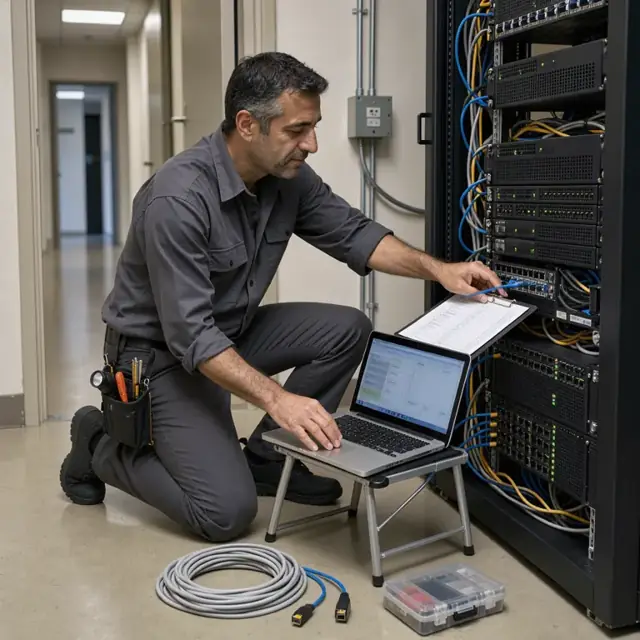
Recurring Maintenance Planner
Generate recurring maintenance checklists, schedule sessions and produce client reports.
Works in: Ambitious Tasks, Ambitious Docs, Ambitious Sheets · Workflows: Recurring maintenance and monitoring
Automates
- Identifies clients due for service
- Assembles task checklists for each visit type
- Books remote or on-site slots
- Compiles backup and scan results
- Drafts summary reports
Stops for a person
- Technicians confirm completion of each checklist item
- Clients receive reports only after owner review

Incident Response Logger
Create structured incident tickets, log response steps and draft client updates.
Works in: Ambitious Tasks, Ambitious Docs, Process Optimizer · Workflows: Incident logging and response
Automates
- Opens incident records from alerts
- Documents timeline and actions
- Runs standard diagnostic steps
- Generates status update drafts
- Compiles root-cause summaries
Stops for a person
- The owner reviews all incident reports before sending to clients
- Corrective actions are decided by people

Billing and Invoicing Specialist
Turn completed work logs into accurate invoices and track payments.
Works in: Ambitious Sheets, Ambitious Docs, Ambitious Tasks · Workflows: Time tracking, billing and invoicing
Automates
- Pulls hours and materials from tickets
- Applies correct contract rates
- Generates line-item invoices
- Tracks payment status
- Flags follow-up items
Stops for a person
- The owner approves every invoice before it is sent
- Disputes or adjustments are handled by a person

Documentation and Renewal Clerk
Maintain network diagrams, license trackers, access logs and renewal reminders.
Works in: Ambitious Docs, Ambitious Sheets, Ambitious Tasks · Workflows: Documentation, licensing and renewal tracking, Permit, access badge and licensing paperwork
Automates
- Updates asset and network records
- Tracks license and certificate dates
- Creates renewal reminder lists
- Organizes completed project files
- Runs weekly documentation completeness checks
- Generates site access and permit checklists
Stops for a person
- The owner confirms which client-specific rules apply
- All final documentation and permit paperwork is reviewed and approved by a person before use
Workflows
Client request intake and scoping
Starts when: A client submits a request by email, form, portal message or phone note
- Capture the issue description, affected systems, urgency and any error messages
- Check against existing contracts or active tickets for duplicates
- Draft a scope summary with estimated hours and required parts or software
- Confirm client availability windows and access requirements including any parking or badge needs
- Create a ticket with all details attached
Watch for: Exact reproduction of client-provided error logs and screenshots; Immediate escalation path for reported security incidents
Technician dispatch and daily scheduling
Starts when: Each morning and when new urgent tickets arrive
- Review open tickets by priority, location and required skills
- Assign to available technicians considering travel time and certifications
- Build daily route with start times, on-site estimates and buffer for overruns
- Send client-facing appointment confirmations for approval
- Update calendar and notify technicians of assignments
Watch for: Travel time between client sites varies by urban or rural location; Certain work requires two-person teams or specific licensing
Parts and software license procurement
Starts when: After ticket scoping and weekly for stock
- Extract required hardware, cables, peripherals and software licenses from tickets
- Check against current inventory and subscription counts
- Draft purchase orders by supplier with delivery deadlines
- Track warranty status of existing equipment
- Update inventory sheets upon receipt
Watch for: Many items must be obtained same-day or next-day for urgent repairs; Software licenses must match exact client environments
Recurring maintenance and monitoring
Starts when: On fixed weekly, monthly or quarterly dates
- Pull list of clients due for maintenance this period
- Generate checklist of updates, scans, backups and firmware checks
- Schedule remote or on-site sessions
- Log completion and any findings
- Draft client summary report
Watch for: Maintenance windows must avoid client business hours; Backup verification and security scan results must be recorded
Incident logging and response
Starts when: When a security event, outage or major failure is reported
- Create an incident ticket and notify on-call technician
- Document timeline, actions taken and systems affected
- Run standard diagnostic and containment steps
- Draft client status updates at set intervals
- Close with root-cause summary and preventive recommendations
Watch for: Chain-of-custody for any data involved in incidents; Rapid response times required by some retainer contracts
Time tracking, billing and invoicing
Starts when: End of each visit, weekly for time-and-materials, and monthly for retainers
- Pull hours and materials from completed tickets
- Apply contract rates or retainer terms
- Draft invoices with line-item detail and supporting logs
- Track payment status
- Flag any follow-up needed for approvals or disputes
Watch for: Separate tracking for billable versus non-billable time; Monthly retainer invoices must reconcile against delivered maintenance
Documentation, licensing and renewal tracking
Starts when: Weekly for active projects and on license or contract renewal dates
- Update network diagrams, asset inventories and password records
- Track software license counts, support contracts and certificate expirations
- Generate renewal reminders and renewal paperwork drafts
- Archive completed project documentation
- Run checklist confirming all client access logs are current
Watch for: Client data must stay separated by project or company; The owner confirms which requirements apply
Permit, access badge and licensing paperwork
Starts when: Before each on-site visit and on renewal dates
- Generate site-specific access checklist including parking permits and building badges
- Track technician certifications and license renewal dates
- Prepare and file any required work permits or insurance certificates
- Log badge issuance and return
- Confirm all paperwork is current before dispatch
Watch for: Rules differ by building, city and client type; The owner confirms which permits and licenses apply before work begins
Bot templates for this industry
- Other Computer Related Services (7 bots)
Source: U.S. Small Business Administration, Office of Size Standards, Table of Small Business Size Standards Matched to North American Industry Classification System Codes, version March 2023 (effective 2023-03-17, NAICS 2022). Size standards are shown for reference only.