

Security Guards and Patrol Services
Security guard and patrol companies schedule officers for fixed posts, mobile patrols and special events. They turn client requests into shift schedules, post orders and incident reports; convert patrol logs into billing and compliance records; and maintain licensing, training and equipment tracking. Post orders, radio protocols, use-of-force policies and client-specific rules remain with the operations manager.
What makes this business different
- Client-specific post orders that detail access control, patrol routes, alarm response and emergency contacts
- 24/7 coverage with rotating shifts, overtime rules and last-minute call-offs
- Mobile patrol routes with timed checkpoints and GPS-verified stops
- Daily incident and activity logs that feed into client reports and billing
- Armed and unarmed officer assignments with current firearms qualifications where required
- State licensing, background checks, training records and uniform/equipment inventories
- Seasonal demand spikes for events, construction sites and holiday retail
- Radio and dispatch protocols that maintain chain of command and escalation paths
Specialist bots

Client Intake Coordinator
Convert every new service request into a complete post order and proposal package.
Works in: Ambitious Tasks, Ambitious Docs, Contract Analyzer · Workflows: Client request and post order creation
Automates
- Parses incoming requests and extracts site requirements
- Drafts detailed post orders from templates and client notes
- Checks licensing capacity and creates service task
- Prepares proposal draft for manager approval
Stops for a person
- Operations manager reviews and approves all post orders before sending to client
- Client signs contract before any officer is scheduled

Shift Scheduler
Build weekly officer schedules that meet coverage requirements while respecting licensing and hour limits.
Works in: Ambitious Tasks, Ambitious Sheets · Workflows: Shift scheduling and coverage
Automates
- Matches officers to posts by license, training and client restrictions
- Calculates total hours and overtime
- Generates shift packets with post orders
- Identifies coverage gaps and suggests replacements
Stops for a person
- Operations manager approves the final schedule each week
- Officers confirm their shifts before they are locked

Patrol Dispatcher
Assign mobile patrol routes, monitor check-ins and handle real-time escalations.
Works in: Ambitious Tasks, Process Optimizer · Workflows: Mobile patrol route dispatch
Automates
- Loads routes with timed checkpoints
- Assigns vehicles and equipment
- Tracks GPS check-ins and flags misses
- Logs deviations for later reporting
Stops for a person
- Supervisor decides on any route changes or backup calls
- All incident escalations are handed to a person
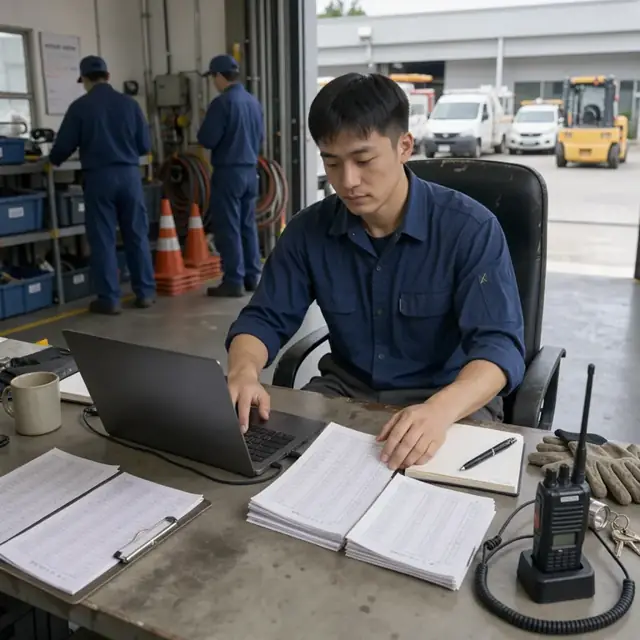
Incident and Reporting Clerk
Review officer logs, draft client reports and maintain incident records.
Works in: Ambitious Docs, Ambitious Tasks, Email Buckets · Workflows: Incident logging and client reporting
Automates
- Organizes submitted logs by post and date
- Categorizes incidents and attaches media
- Drafts daily activity and incident summaries
- Files copies for internal records
Stops for a person
- Operations manager reviews every client-bound report before it is sent
- Serious incidents are immediately escalated to leadership

Billing Specialist
Convert verified shift hours and post coverage into accurate client invoices.
Works in: Ambitious Sheets, Ambitious Tasks, Ambitious Docs · Workflows: Billing and invoice generation
Automates
- Pulls hours from schedules and approved logs
- Applies correct rates by post type
- Generates invoices with supporting details
- Tracks payment status
Stops for a person
- Owner approves all invoices before they are sent
- Rate changes must be confirmed against the signed contract

Compliance and Training Coordinator
Track officer licenses, training, equipment and insurance renewals to keep every post legal.
Works in: Ambitious Sheets, Ambitious Tasks, Ambitious Docs · Workflows: Licensing training and equipment tracking
Automates
- Monitors expiration dates for licenses and training
- Generates monthly compliance checklists
- Tracks equipment issued to each officer
- Drafts renewal reminder packets
Stops for a person
- Operations manager confirms which state rules apply to each post
- All background checks and training sign-offs are performed by people
- The bot never certifies compliance

Special Event Coordinator
Staff one-time events with appropriate officers and create event-specific post orders.
Works in: Ambitious Tasks, Ambitious Docs · Workflows: Special event staffing
Automates
- Builds temporary rosters for the event dates
- Drafts event-specific post orders and briefing materials
- Coordinates equipment and radio channel assignments
- Collects after-action logs
Stops for a person
- Operations manager approves all event staffing plans
- Client must confirm the final post orders and schedule
Workflows
Client request and post order creation
Starts when: A new or existing client requests security services by email, form or call
- Capture site details, hours, number of officers, armed or unarmed status and special instructions
- Draft post orders listing access rules, patrol routes, alarm response, prohibited items and emergency contacts
- Check against licensing and insurance capacity for the site type
- Create a service task with site map and post orders attached
- Draft proposal for client review
Watch for: Post orders must match the exact client requirements and site layout; Armed posts require verified firearms qualifications
Shift scheduling and coverage
Starts when: Weekly or when a new post is confirmed
- Build roster of available officers by license status, training and client preferences
- Assign shifts to meet required coverage while respecting maximum hours and overtime rules
- Handle call-offs by pulling from an on-call list
- Send shift details and post orders to each officer
- Flag any gaps for manager review
Watch for: Certain clients require specific officers or ban others; 24-hour posts need proper relief timing
Mobile patrol route dispatch
Starts when: Start of each patrol shift
- Load route with timed checkpoints and client sites
- Assign vehicle and equipment
- Send dispatch packet with route map, post orders and radio protocol
- Monitor check-in cadence and escalate missed calls
- Log any deviations or incidents
Watch for: Routes must be covered in prescribed order and time windows; GPS verification required for each checkpoint
Incident logging and client reporting
Starts when: Officer submits activity or incident log at end of shift
- Review submitted logs for completeness and clarity
- Categorize incidents and attach photos or video if provided
- Draft client-facing incident or daily activity report
- File internal copy for insurance and compliance
- Escalate serious incidents to manager
Watch for: Chain of custody for any evidence collected; Reports must be delivered within client-specified timeframe
Billing and invoice generation
Starts when: End of each billing period
- Pull verified hours and post coverage from schedules and logs
- Apply rates by post type, armed status and overtime
- Draft invoices with supporting activity summaries
- Track payments and flag past-due accounts
- Update client records with billed hours
Watch for: Some clients require detailed officer names and exact times on invoices; Billing must match signed contract rates
Licensing training and equipment tracking
Starts when: Monthly and on renewal dates
- Check officer licenses, background checks and training records against expiration dates
- Track uniform, radio, vehicle and weapon inventory by officer and post
- Generate monthly compliance checklist for each officer
- Draft renewal reminders for state licenses and insurance
- Maintain training attendance logs
Watch for: State rules vary for armed versus unarmed officers; Equipment must be inspected and logged before each shift
Special event staffing
Starts when: Client books security for a one-time event
- Capture event details, expected attendance, access points and risk level
- Build temporary roster and schedule
- Draft event-specific post orders and briefing packet
- Coordinate with client on arrival, parking and radio channels
- Collect post-event logs and feedback
Watch for: Events often require short-notice staffing and extra supervisors; Alcohol venues need specific training verification
Bot templates for this industry
- Security Guard Services (3 bots)
- Security Guards and Patrol Services (7 bots)
Source: U.S. Small Business Administration, Office of Size Standards, Table of Small Business Size Standards Matched to North American Industry Classification System Codes, version March 2023 (effective 2023-03-17, NAICS 2022). Size standards are shown for reference only.