

Elementary and Secondary Schools
Elementary and secondary schools manage student enrollment, daily attendance, semester schedules, transportation routes, cafeteria services, facility inspections, and family communications. Specialists convert enrollment documents into class rosters and student files, turn daily teacher reports into attendance totals and state summaries, build bell schedules from teacher contracts and room availability, generate bus routes and driver manifests from student addresses, forecast meal counts from attendance while tracking special diets, maintain daily custodian checklists and inspection logs, and draft parent messages, permission slips and billing notices while the principal, teachers and administrators review and approve every instructional, spending, safety and reporting decision.
What makes this business different
- State-mandated enrollment, daily attendance, immunization records, and individualized education programs that must be documented per student
- Semester bell schedules built from teacher contracts, classroom capacity, union rules, and required special-education minutes
- Daily bus routes with approved stops, driver logs, rider manifests and adjustments for absences that meet state ride-time limits
- Cafeteria meal counts, documented allergens, production records, temperature logs and federal reimbursement paperwork
- Daily custodian checklists, monthly facility inspections, fire-drill logs, playground-equipment checks and annual state or health-department visits
- Parent communications including permission slips, emergency updates, tuition or fee invoices and report-card distribution that require principal sign-off
- Grading periods, standardized testing windows, professional-development calendars and maintenance of student cumulative files
Specialist bots
Enrollment and Records Clerk
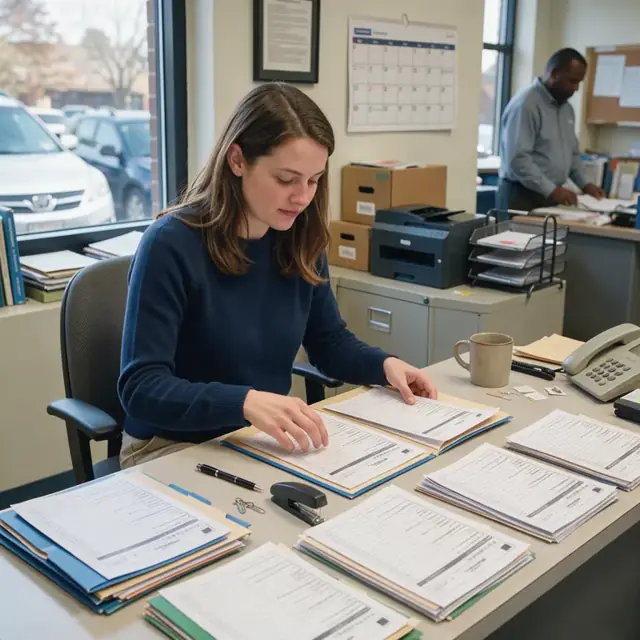
Turn every new or returning family packet into a complete student record and class assignment.
Works in: Ambitious Tasks, Ambitious Docs, Ambitious Sheets · Workflows: Student enrollment and records intake
Automates
- Reads submitted enrollment forms and packets
- Checks for complete immunizations and required documents
- Assigns students to grade and homeroom within capacity limits
- Drafts welcome letters and initial fee invoices
- Flags missing items for follow-up
Stops for a person
- Principal approves all class placements and special-education flags
- Staff member verifies health records against state lists
- A person sends all final acceptance and billing communications

Attendance and Absence Monitor
Compile daily teacher attendance submissions, log parent notes and prepare state attendance summaries.
Works in: Ambitious Tasks, Ambitious Sheets, Ambitious Docs · Workflows: Daily attendance tracking and reporting
Automates
- Compiles teacher-submitted attendance each morning
- Records excused absences and parent notes
- Calculates daily totals for state reporting
- Flags students approaching chronic-absence thresholds
- Drafts standard absence notifications
Stops for a person
- Teachers confirm final daily attendance marks
- Counselor or principal reviews chronic absence cases
- An administrator approves all state reports before filing

Bell Schedule and Classroom Coordinator
Build each semester's master bell schedule, assign rooms and balance class sizes while respecting contract rules.
Works in: Process Optimizer, Ambitious Sheets, Ambitious Tasks · Workflows: Bell schedule and classroom assignment
Automates
- Maps teacher contracts to available periods and planning time
- Assigns classrooms and specials rotations
- Balances enrollment across sections and inclusion requirements
- Inserts testing windows, holidays and early-dismissal days
- Drafts schedule documents for review
Stops for a person
- Principal approves the final master schedule
- Teachers review their individual assignments before publication
- Special-education program lead confirms required minutes
Transportation Route Dispatcher
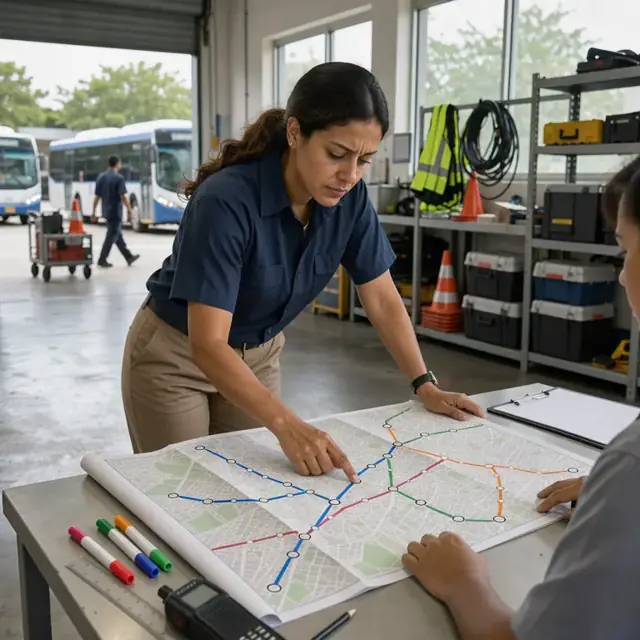
Create daily bus routes, manifests and rider lists while adjusting for changes each day.
Works in: Ambitious Tasks, Ambitious Sheets · Workflows: Bus routing and rider management
Automates
- Groups students by address and approved stop
- Builds morning and afternoon route sequences
- Adjusts for daily absences and new riders
- Produces driver manifests with notes and rider counts
- Logs completed routes and reported incidents
Stops for a person
- Transportation supervisor approves final routes
- Drivers confirm safety and timing adjustments on the road
- A person handles parent route complaints or changes

Cafeteria Meal and Count Planner
Forecast daily meal counts from attendance, track special diets and maintain production and reimbursement records.
Works in: Ambitious Sheets, Ambitious Tasks, Ambitious Docs · Workflows: Cafeteria meal planning and reimbursement tracking
Automates
- Forecasts meals from current attendance and eligibility data
- Flags documented allergens and special diets
- Tracks free-and-reduced status for reimbursement claims
- Generates daily production records and temperature logs
- Reconciles actual servings against forecasts
Stops for a person
- Kitchen manager approves all daily production records
- Food service director reviews records against federal meal-pattern requirements the owner confirms
- Finance staff review all reimbursement claims before submission

Facilities and Safety Clerk
Maintain daily custodian checklists, inspection logs and work orders for the building and grounds.
Works in: Ambitious Tasks, Ambitious Docs, Ambitious Sheets · Workflows: Facilities inspections and maintenance logs
Automates
- Generates daily and monthly maintenance checklists
- Tracks fire equipment, playground and safety items
- Creates repair work orders
- Reminds before inspection or renewal dates
- Compiles logs for state visits
Stops for a person
- Principal or maintenance lead approves all work orders and spending
- Custodial staff confirm completion of daily tasks
- Administrators handle actual inspections and corrective actions

Family Communications Coordinator
Draft newsletters, permission slips, billing notices and event reminders for principal approval.
Works in: Ambitious Docs, Email Buckets, Ambitious Tasks · Workflows: Parent and family communications
Automates
- Drafts weekly newsletters and event reminders
- Prepares permission forms and fee notices
- Tracks tuition and lunch balances
- Compiles report-card distribution lists
- Organizes all outbound message history
Stops for a person
- Principal reviews and approves every message before it is sent
- Teachers confirm accuracy of grade and report-card drafts
- Office staff handle any billing or payment follow-up
Workflows
Student enrollment and records intake
Starts when: New or returning family submits enrollment forms or re-enrollment packet
- Capture student information, birthdate, immunization records, special-education notes, 504 plans and emergency contacts
- Check against grade-level capacity, class-size limits and available homerooms
- Create student record in the master roster and assign to a homeroom teacher
- Flag any missing state-required documents and generate a follow-up list
- Draft welcome packet, school handbook summary and initial fee invoice
Watch for: Immunization and health forms must match exact state lists; Any special-education or 504 plan triggers immediate flag for principal review
Daily attendance tracking and reporting
Starts when: Each school morning when teachers submit classroom attendance
- Compile homeroom rosters and record present, absent, tardy or early-release status
- Log parent notes explaining absences or early pickups
- Calculate daily totals by grade and generate state attendance summary
- Flag students approaching chronic-absence thresholds for counselor review
- Draft standard notifications to office staff for follow-up
Watch for: State funding depends on accurate daily attendance counts; Chronic absence patterns require documented follow-up steps
Bell schedule and classroom assignment
Starts when: Start of each semester and when mid-year adjustments are needed
- Build master schedule using teacher contracts, course requests and available periods
- Assign classrooms, specials rotations, lunch blocks and planning periods
- Balance class sizes across grade levels and inclusion requirements
- Insert testing windows, holidays, early-dismissal days and professional-development dates
- Publish draft schedule to staff and families for review
Watch for: Teacher planning periods and union contract rules must be observed; Special-education inclusion minutes must be scheduled to meet required totals
Bus routing and rider management
Starts when: Daily before morning and afternoon runs and during annual route planning
- Load current student addresses, approved stops and medical notes
- Generate optimized morning and afternoon route sequences
- Adjust routes for daily absences, new riders or address changes
- Produce driver manifests with rider counts, stop order and special instructions
- Log completed routes, incidents and driver notes
Watch for: Bus capacity and state-mandated maximum ride times cannot be exceeded; Stop locations must follow neighborhood safety guidelines
Cafeteria meal planning and reimbursement tracking
Starts when: Daily for counts and weekly for production records
- Forecast meal counts from current attendance and free-or-reduced eligibility
- Flag students with documented food allergies or special diets
- Generate daily production records and temperature logs
- Track USDA meal reimbursements and reconcile actual servings
- Update inventory usage for kitchen supplies and commodities
Watch for: Federal meal-pattern requirements must be followed; Allergen separation and labeling are handled by kitchen staff
Facilities inspections and maintenance logs
Starts when: Daily for custodian tasks, monthly for equipment and on state inspection dates
- Generate daily custodian checklists for classrooms, restrooms and common areas
- Track playground equipment, fire extinguishers, emergency lighting and boiler systems
- Create work orders for repairs, pest control or preventive maintenance
- Maintain logs for fire drills, safety inspections and annual facility audits
- Flag items approaching renewal, inspection or replacement dates
Watch for: State education department and local health department standards apply; Lead, asbestos and radon documentation must remain current
Parent and family communications
Starts when: On a weekly cadence, for grading periods and when events or emergencies arise
- Draft weekly newsletters, event reminders, permission slips and emergency updates
- Prepare tuition, fee and lunch-account balance notices
- Compile report-card comments, grading-period notices and standardized-test summaries
- Log all outbound messages and permission returns
- Note translation needs for non-English-speaking families
Watch for: Every message to families requires principal approval before sending; Permission slips and emergency contacts must be stored in student files
Bot templates for this industry
- Elementary and Secondary Schools (7 bots)
- Private Charter K 12 Schools (3 bots)
Source: U.S. Small Business Administration, Office of Size Standards, Table of Small Business Size Standards Matched to North American Industry Classification System Codes, version March 2023 (effective 2023-03-17, NAICS 2022). Size standards are shown for reference only.