

Computer Training
Computer training providers schedule group and one-on-one classes on software, coding, cybersecurity and digital tools. For a provider that runs both public enrollment workshops and private corporate sessions, the specialists turn inquiries into booked classes, class lists into instructor schedules and materials kits, and completed sessions into certificates, feedback and follow-up training proposals. Curriculum, teaching methods and assessment standards stay with the instructors.
What makes this business different
- Custom class requests with specific software versions, skill levels, group sizes and learning objectives that must match instructor expertise
- Instructor availability, classroom or virtual room bookings and equipment checkout for each session
- Preparation of participant materials, software licenses, virtual lab access and handouts before each class
- Tracking of attendance, assessment scores and certificate issuance per participant
- Corporate contracts, purchase orders, invoicing and payment collection that differ from individual enrollments
- Software and hardware inventory for loaner laptops, projectors, adapters and licensed training environments
- Instructor credentials, continuing education records and venue permits that must be current
- Repeat corporate clients and individual alumni who enroll in progressive courses or request private sessions
Specialist bots

Enrollment Coordinator
Turn every training inquiry into a confirmed class booking with complete requirements.
Works in: Ambitious Tasks, Ambitious Docs, Email Buckets · Workflows: Inquiry to class booking
Automates
- Parses incoming inquiries for topic, dates, group size and objectives
- Checks instructor and room availability
- Drafts proposals and confirmation documents
- Creates the class task and roster template
Stops for a person
- Instructors review and approve custom curriculum requests
- A person sends all proposals and handles contract negotiations
- The owner approves pricing exceptions
Class Preparation Specialist
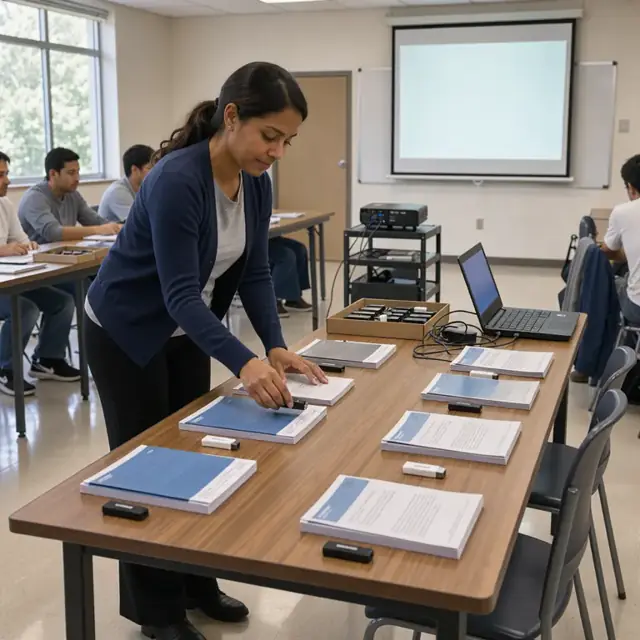
Assemble all participant materials, access credentials and room setups before each class.
Works in: Ambitious Docs, Ambitious Tasks, Ambitious Sheets · Workflows: Class preparation and materials
Automates
- Generates participant packets and exercise files
- Distributes software access links and license keys
- Books virtual rooms and confirms hardware reservations
- Drafts pre-class reminder messages
Stops for a person
- Instructors verify materials match the exact curriculum version
- A person checks final materials before distribution

Schedule and Resource Manager
Assign instructors to classes, reserve venues and maintain the master training calendar.
Works in: Ambitious Tasks, Ambitious Sheets · Workflows: Instructor and venue scheduling
Automates
- Matches class needs to instructor certifications and availability
- Books physical classrooms and virtual platforms
- Builds and updates the weekly master schedule
- Flags credential or permit expirations
Stops for a person
- Instructors confirm their assigned classes
- The owner approves changes to public open-enrollment dates
Assessment and Certificate Clerk
Track attendance, process assessments and issue completion certificates for each participant.
Works in: Ambitious Tasks, Ambitious Docs, Ambitious Sheets · Workflows: Attendance tracking and assessment
Automates
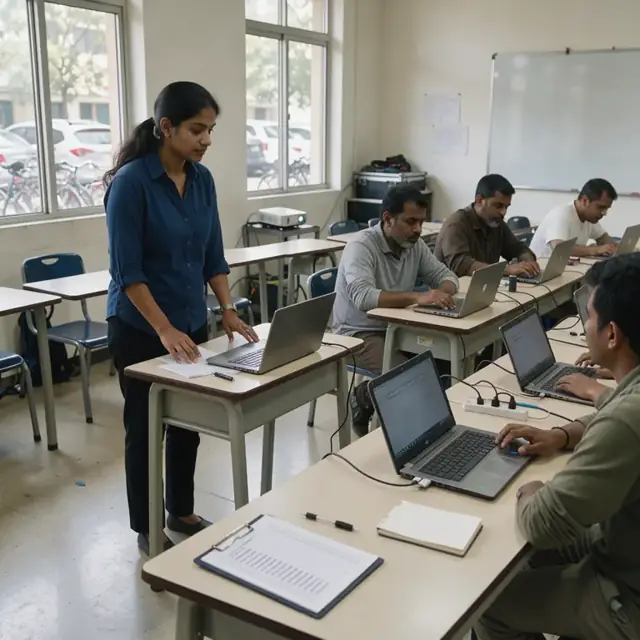
- Records attendance from sign-in sheets or platform reports
- Compiles quiz and assessment results
- Generates and distributes certificates or digital badges
- Creates client summary reports
Stops for a person
- Instructors review and approve all assessment results and certificate lists
- A person handles any disputed scores or incomplete requirements

Billing and Contract Coordinator
Generate invoices, track payments and reconcile corporate contracts and purchase orders.
Works in: Ambitious Sheets, Ambitious Docs, Ambitious Tasks · Workflows: Billing and invoice processing
Automates
- Creates invoices based on class attendance and contract terms
- Attaches completion records when required
- Tracks payment status across channels
- Drafts follow-up statements
Stops for a person
- The owner approves all invoices before sending
- A person handles collections and contract disputes

Client Success and Follow-up Host
Send post-class thank-yous, collect feedback and draft proposals for additional training.
Works in: Email Buckets, Ambitious Docs, Ambitious Tasks · Workflows: Customer follow-up and next training proposals
Automates
- Drafts thank-you and feedback request messages
- Analyzes assessment trends for training gap identification
- Drafts follow-on training proposals
- Updates client training history records
Stops for a person
- The owner reviews and approves every proposal and marketing message
- Instructors review feedback summaries before any curriculum changes

Equipment and Credential Tracker
Maintain inventory of training hardware and software while tracking instructor credentials and permit dates.
Works in: Ambitious Sheets, Ambitious Tasks, Ambitious Docs · Workflows: Equipment inventory and credential tracking
Automates
- Tracks checkout and return of laptops, projectors and adapters
- Monitors software license usage and lab seat counts
- Alerts on upcoming instructor certification and permit renewals
- Logs equipment condition reports
Stops for a person
- Instructors confirm equipment is sanitized and reset
- The owner confirms which credentials and permits are required
- A person physically inspects returned equipment
Workflows
Inquiry to class booking
Starts when: A prospect submits an inquiry by form, email or direct message
- Capture requested topic, software version, group size, dates, location or virtual preference and learning goals
- Match request against available instructors, curriculum and room or platform availability
- Draft a proposal with pricing, schedule options and required materials or licenses
- Record payment status or purchase order details
- Create a confirmed class task with participant roster template
Watch for: Corporate clients often require specific contract language and approval workflows; Class minimum and maximum sizes must be enforced to maintain quality
Class preparation and materials
Starts when: Seven days before each confirmed class
- Generate participant list and send pre-class setup instructions
- Assemble digital or printed materials, exercise files and software access codes
- Reserve classroom, virtual meeting room and any required hardware or loaner devices
- Confirm instructor assignment and provide session agenda and assessment forms
- Draft welcome and reminder messages for participants
Watch for: Different versions of software may require separate lab environments or license keys; Corporate classes may need branded materials or specific compliance tracking
Instructor and venue scheduling
Starts when: Weekly and when new classes are confirmed
- Review upcoming requests against instructor certifications and availability
- Assign instructors to classes and reserve physical or virtual venues
- Build the weekly master schedule including setup and teardown time
- Flag any scheduling conflicts or instructor credential expiration dates
- Update the public calendar for open-enrollment classes
Watch for: Instructors may be contractors with limited weekly hours; Certain classes require specific hardware or licensed software only available in particular rooms
Attendance tracking and assessment
Starts when: Start of each class session
- Record participant attendance from sign-in or virtual login
- Distribute and collect assessment forms or run digital quizzes
- Compile scores and note any incomplete requirements
- Generate completion certificates or digital badges
- Log any instructor observations about class performance
Watch for: Some certifications require specific passing thresholds set by the curriculum owner; Corporate clients often require attendance reports and individual score summaries
Billing and invoice processing
Starts when: After class completion and on contract milestones
- Generate invoices from class roster and agreed pricing
- Attach attendance records or completion certificates when required
- Track payments and flag overdue accounts
- Reconcile purchase orders with delivered training
- Draft follow-up statements for corporate clients
Watch for: Corporate contracts may include volume discounts or milestone payments; Individual payments may come through multiple channels
Customer follow-up and next training proposals
Starts when: One day after class and on quarterly cadences for corporate clients
- Draft thank-you messages and request feedback or testimonials
- Analyze assessment data to identify common learning gaps
- Draft proposals for follow-on training or advanced classes
- Remind alumni of upcoming open-enrollment sessions that match their skill progression
- Update client records with completed training summaries
Watch for: Feedback must be reviewed before any public use; Corporate account managers approve all proposals before sending
Equipment inventory and credential tracking
Starts when: Weekly and before each class that requires hardware
- Check out and track loaner laptops, adapters, projectors and other equipment
- Verify software licenses and virtual lab seat counts
- Monitor instructor certifications, continuing education and background checks
- Flag upcoming renewals for training venue permits or insurance
- Log equipment condition and any maintenance needs
Watch for: Equipment must be sanitized and software reset between classes; Instructor credentials must be confirmed current before assignment
Bot templates for this industry
- Computer Training (7 bots)
Source: U.S. Small Business Administration, Office of Size Standards, Table of Small Business Size Standards Matched to North American Industry Classification System Codes, version March 2023 (effective 2023-03-17, NAICS 2022). Size standards are shown for reference only.