

Fitness and Recreational Sports Centers
Fitness and recreational sports centers manage class and court bookings, member check-ins, equipment maintenance, instructor schedules, and facility permits. For a center that runs group fitness classes, personal training sessions, pickleball courts and open gym hours, the specialists turn inquiries into booked sessions, bookings into daily class and court schedules, schedules into staff assignments and equipment prep lists, and usage data into maintenance and reorder triggers. Pricing, safety protocols and membership rules stay with the owner and head instructor.
What makes this business different
- Class and court bookings that must respect instructor certifications, court surface limits and equipment availability
- Daily and weekly schedules that combine drop-in open hours, reserved classes, private sessions and league play
- Member waivers, medical disclosures and attendance logs that require accurate capture before first visit
- Equipment and facility maintenance tracked by usage hours, with seasonal deep-clean requirements
- Instructor availability, certifications and pay rates that change by class type and time of day
- Facility permits, insurance certificates, lifeguard or first-aid requirements and local health-department postings
- Repeat members who book standing weekly sessions and receive renewal reminders
Specialist bots
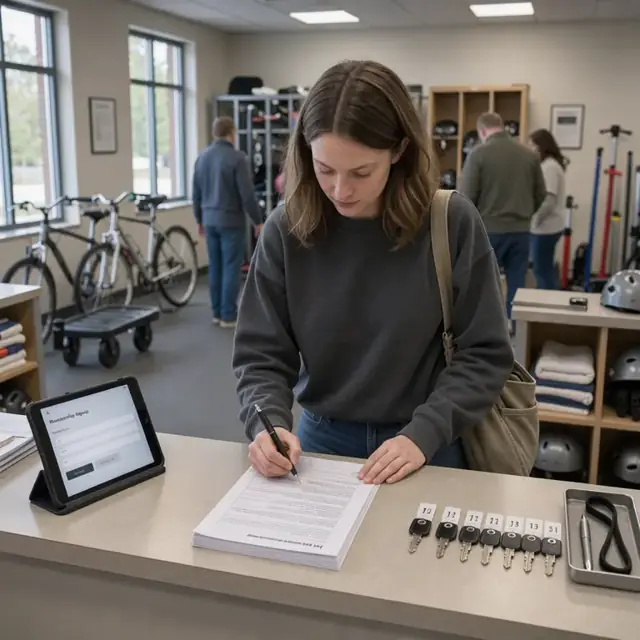
Member Intake Coordinator
Convert every new member inquiry into a completed profile, signed waiver and active membership.
Works in: Ambitious Tasks, Ambitious Docs, Email Buckets · Workflows: Member intake and waiver processing
Automates
- Reads incoming inquiries and forms
- Sends and tracks waiver documents
- Creates member profiles with activity preferences
- Drafts welcome communications
Stops for a person
- Staff reviews medical disclosures before granting access
- A person approves or declines any special requests
- All waivers are reviewed and filed by a staff member

Class and Court Scheduler
Build balanced weekly class and court schedules that respect instructor certifications and space limits.
Works in: Ambitious Sheets, Ambitious Tasks · Workflows: Class and court scheduling
Automates
- Matches instructors to classes by certification
- Assigns rooms, courts and equipment
- Balances class types across the week
- Publishes the schedule and opens booking
Stops for a person
- The head instructor reviews and adjusts the final schedule
- Any changes to certified class offerings are approved by the owner

Daily Operations Supervisor
Prepare daily rosters, equipment layouts and check-in procedures for smooth facility operations.
Works in: Ambitious Tasks, Ambitious Sheets, Process Optimizer · Workflows: Daily operations and check-in
Automates
- Generates daily attendance rosters
- Creates equipment setup lists for each class
- Tracks check-ins and capacity in real time
- Flags no-shows for follow-up
Stops for a person
- Staff perform equipment sanitizing and visual safety checks
- A person greets members and resolves check-in issues on site

Instructor Coordinator
Assign certified instructors to classes, handle substitutions and prepare weekly payroll summaries.
Works in: Ambitious Tasks, Ambitious Sheets, Ambitious Docs · Workflows: Instructor assignment and payroll prep
Automates
- Matches available instructors to open slots by certification
- Drafts substitution requests
- Calculates hours and pay by class type
- Tracks certification renewal dates
Stops for a person
- The owner approves all payroll amounts before processing
- Instructors confirm their assigned classes each week

Equipment and Maintenance Manager
Track equipment usage, generate maintenance tasks and maintain supply inventory for the entire facility.
Works in: Ambitious Sheets, Ambitious Tasks, Process Optimizer · Workflows: Equipment and facility maintenance
Automates
- Logs usage hours from check-in data
- Creates preventive maintenance schedules
- Drafts repair work orders
- Tracks cleaning supplies and replacement parts
Stops for a person
- Technicians perform and sign off on all repairs and deep cleans
- The owner approves any major equipment purchases

Membership Billing Administrator
Manage monthly billing, send renewal reminders and process membership status changes.
Works in: Ambitious Sheets, Email Buckets, Ambitious Tasks · Workflows: Membership billing and renewals
Automates
- Generates renewal lists and draft invoices
- Sends reminder sequences and discount offers
- Processes recurring payments and flags failures
- Updates membership status automatically
Stops for a person
- The owner reviews and approves all discount offers and retention messages
- Staff handle member cancellation conversations

Facility Compliance Clerk
Run daily safety checklists, track permit and insurance dates, and maintain required postings and logs.
Works in: Ambitious Tasks, Ambitious Docs, Ambitious Sheets · Workflows: Permit, safety and compliance tracking
Automates
- Generates daily opening safety checklists
- Logs inspection results and temperatures where required
- Tracks expiration dates for permits and certifications
- Maintains current versions of required notices
Stops for a person
- The owner confirms which local rules and postings apply to the facility
- All corrective actions and inspections are performed and signed by staff
- The bot never certifies compliance
Workflows
Member intake and waiver processing
Starts when: A prospective member inquires by form, email, text or phone
- Capture contact details, desired activities and any medical or allergy notes
- Send and collect signed waiver and liability release
- Verify membership type and payment method
- Create a member profile with access permissions
- Draft welcome packet with class schedule and facility rules
Watch for: Medical disclosures must be reviewed by staff before access is granted; Waivers must be stored and retrievable for each member
Class and court scheduling
Starts when: Weekly on Sunday evening and when an instructor requests a change
- Pull instructor availability and certifications
- Balance class types across peak and off-peak hours
- Assign rooms, courts or studio space and required equipment
- Publish the schedule and open bookings
- Flag any conflicts with maintenance or league play
Watch for: Certain classes require specific instructor certifications or equipment setups; Court reservations cannot exceed surface wear limits per week
Daily operations and check-in
Starts when: Start of each business day
- Generate daily roster and attendance sheets for each class and court block
- Prepare equipment carts and studio layouts per schedule
- Open point-of-sale for drop-ins and retail items
- Log member check-ins and scan access credentials
- Track no-shows and waitlist conversions
Watch for: Equipment must be sanitized between uses during high-traffic periods; Capacity limits per room or court must be enforced
Instructor assignment and payroll prep
Starts when: End of each week and when a substitution is needed
- Match available certified instructors to open classes
- Draft substitution requests when primary instructor is unavailable
- Calculate hours and class-type pay rates
- Prepare payroll summary for owner approval
- Update instructor certification expiration dates
Watch for: Only instructors with current certifications can be assigned to certain classes; Pay rates differ by class format and experience level
Equipment and facility maintenance
Starts when: Daily after close and on usage thresholds
- Log equipment usage hours from daily check-ins
- Generate preventive maintenance tasks by asset type
- Draft work orders for repairs or vendor service
- Schedule seasonal deep-clean and inspection dates
- Track inventory of cleaning supplies and small replacement parts
Watch for: Cardio and strength machines have manufacturer-recommended service intervals; Courts and flooring require specific resurfacing based on hours of play
Membership billing and renewals
Starts when: Monthly on the first and on membership anniversary dates
- Generate upcoming renewal list and draft invoices
- Send renewal reminders and early-renewal discount offers
- Process automatic payments and flag declined cards
- Update membership status and access permissions
- Draft cancellation and retention offers
Watch for: Members with standing weekly bookings must be reminded before renewal; Payment issues must be resolved before access is revoked
Permit, safety and compliance tracking
Starts when: Daily opening checklist and on fixed renewal dates
- Generate daily safety checklist including first-aid kit, fire extinguishers and pool or spa chemistry if applicable
- Log inspection results and corrective actions
- Track expiration of facility permits, insurance certificates and instructor credentials
- Maintain posted notices required by local health and safety departments
Watch for: Rules vary by municipality for occupancy, sanitation and emergency equipment; The owner confirms which permits and postings apply to the specific location
Bot templates for this industry
- Fitness studios (3 bots)
- Kids trampoline gyms (4 bots)
- Fitness and Recreational Sports Centers (7 bots)
Source: U.S. Small Business Administration, Office of Size Standards, Table of Small Business Size Standards Matched to North American Industry Classification System Codes, version March 2023 (effective 2023-03-17, NAICS 2022). Size standards are shown for reference only.