

Limited-Service Restaurants
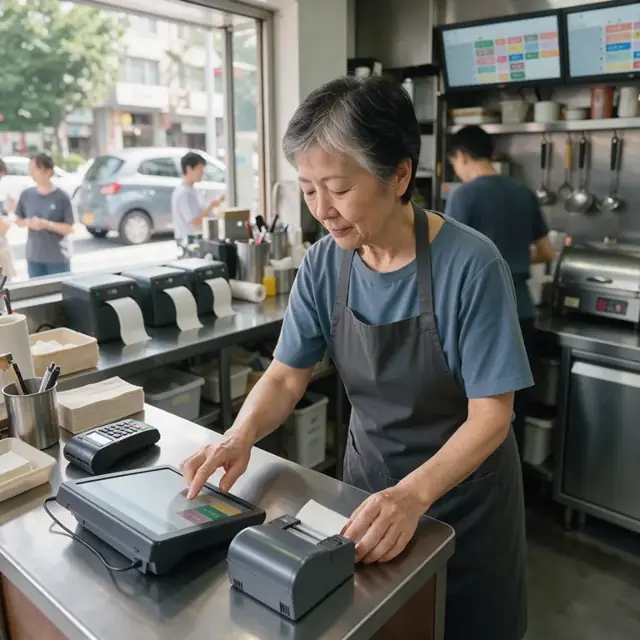
Limited-service restaurants prepare and serve quick meals to order at the counter or drive-through with limited table service. For an operation that takes walk-in, app and phone orders for burgers, fries, salads and drinks, the specialists turn every incoming order into a kitchen ticket, tickets into timed grill and fryer batches, batches into accurate inventory pulls and reorders, and completed orders into pickup notifications and delivery handoffs. Menu pricing, recipe specs, food safety and health department logs remain with the owner and crew.
What makes this business different
- High volume of custom orders with modifications such as no onion, extra cheese, dressing on the side and dietary substitutions that must print exactly on every kitchen ticket
- Simultaneous counter, drive-through, online app and third-party delivery channels that all converge on the same kitchen
- Tight cook-to-order timing on grill, fryer, assembly and drink stations to maintain speed of service
- Perishable ingredients with strict par levels, daily pulls and waste tracking to control food cost
- Peak-hour rush planning that matches staff and equipment capacity to expected demand
- Health department temperature logs, sanitizer checks, handwashing stations and pest control records required at every shift
- Repeat customers who use loyalty apps, reorder favorites and expect consistent quality across all channels
Specialist bots
Order Taker
Convert every counter, drive-through, phone and app order into an accurate kitchen ticket with all modifications.
Works in: Ambitious Tasks, Ambitious Docs, Email Buckets · Workflows: Order intake and ticket creation
Automates
- Reads incoming orders from all channels
- Translates custom requests and dietary notes onto tickets
- Checks menu availability and 86'd items
- Drafts receipts and confirmation messages
- Creates station-specific task cards
Stops for a person
- Crew on the line approves any complex modifications
- Payment issues and refunds are handled by a person
- Owner approves all allergen-related handling instructions

Line Production Scheduler
Turn current and incoming orders into timed station sequences that keep food moving at target speed.
Works in: Ambitious Tasks, Process Optimizer, Ambitious Docs · Workflows: Batch production and station timing
Automates
- Groups similar items across orders for efficient firing
- Builds timed cook and assembly sequences
- Prioritizes allergen and special orders
- Monitors ticket times against targets
- Updates completion labels
Stops for a person
- The grill or fryer cook can adjust sequence in real time
- Any discarded or remade items are confirmed by a crew member

Inventory and Reorder Manager
Calculate exact ingredient pulls from orders, maintain pars and draft supplier orders.
Works in: Ambitious Sheets, Ambitious Tasks · Workflows: Inventory pulls and ingredient reordering
Automates
- Explodes orders into ingredient requirements
- Subtracts current stock levels
- Generates station pull lists
- Tracks waste and suggests reorder quantities
- Updates pars based on usage
Stops for a person
- The owner places and pays for all supplier orders
- Any recipe or portion changes must be approved by the manager

Rush Capacity Planner
Forecast hourly demand, match to equipment and labor capacity and identify bottlenecks.
Works in: Process Optimizer, Ambitious Sheets, Ambitious Tasks · Workflows: Rush capacity and labor planning
Automates
- Compares expected orders to station capacities
- Recommends crew levels per shift
- Highlights process bottlenecks
- Suggests temporary menu adjustments
Stops for a person
- The owner sets final staffing schedules and any menu caps
- Crew confirms actual capacity during unexpected rushes

Order Fulfillment Coordinator
Match completed food to orders, assemble bags and notify customers or drivers for pickup and delivery.
Works in: Ambitious Tasks, Ambitious Docs · Workflows: Order fulfillment and handoff
Automates
- Matches finished items to original tickets
- Assembles complete orders with drinks and condiments
- Drafts pickup and delivery notifications
- Records fulfillment times and exceptions
Stops for a person
- Crew visually checks every bag before sealing
- The owner approves all third-party delivery instructions
- Drivers confirm receipt of sealed bags

Food Safety and Compliance Clerk
Run daily food-safety checklists, log temperatures and track permit and maintenance due dates.
Works in: Ambitious Tasks, Ambitious Sheets, Ambitious Docs · Workflows: Food safety and shift compliance
Automates
- Generates shift checklists for each station
- Records temperature and sanitation entries
- Tracks cleaning and maintenance tasks
- Alerts before permit or inspection deadlines
- Keeps allergen data aligned with current recipes
Stops for a person
- Crew members confirm and sign every log entry
- The owner verifies which local health rules apply
- All corrective actions and inspections are performed by people

Customer Loyalty and Reorder Host
Send approved thank-yous, gather feedback and prompt repeat customers to return with personalized offers.
Works in: Email Buckets, Ambitious Tasks, Ambitious Docs · Workflows: Customer follow-up and loyalty reorders
Automates
- Drafts post-order thank-you and feedback messages
- Identifies regular customers and their favorite items
- Creates timely reorder and promotional reminders
- Organizes loyalty data for review
Stops for a person
- The owner reviews and approves every message before it is sent
- Any loyalty program changes are decided by the owner
Workflows
Order intake and ticket creation
Starts when: Customer places order at counter, drive-through, phone or via app
- Capture all items, custom modifications, special instructions and dietary notes exactly
- Route the order to the correct station printers or kitchen display screens
- Check order against current menu availability and any 86'd items
- Record payment method and print or display receipt
- Create a kitchen task card with full specs for the line
Watch for: Modifications must appear word-for-word on every ticket; Drive-through and app orders require separate visual and audio cues
Batch production and station timing
Starts when: New orders arrive or at scheduled peak intervals
- Group similar items across orders for grill, fryer and assembly
- Build a timed sequence that respects cook times and hold times
- Flag any allergen or special-prep items to be handled first on clean surfaces
- Monitor current ticket times against target speed-of-service goals
- Print or update labels for each completed item
Watch for: Fryer oil temperature and grill temperature must stay in safe ranges; Items held beyond safe times must be discarded and re-fired
Inventory pulls and ingredient reordering
Starts when: Start of each shift and when par levels are reached
- Calculate ingredients needed from the current and forecasted orders
- Subtract current stock from walk-in and reach-in coolers
- Generate pull lists for each station and draft supplier reorder quantities
- Track daily waste, spoilage and portion control variances
- Update par levels based on actual usage patterns
Watch for: Perishables such as lettuce, tomatoes and beef must be rotated daily; Packaging supplies for to-go bags and cups run out without warning
Rush capacity and labor planning
Starts when: Daily before open and weekly for forecasting
- Compare expected order volume by hour to grill, fryer and assembly capacity
- Suggest minimum crew needed per station for each shift
- Use the process optimizer to identify bottlenecks in the current layout
- Adjust menu item availability during predicted peaks
Watch for: Drive-through times directly affect customer satisfaction scores; Equipment capacity cannot be exceeded during lunch and dinner rushes
Order fulfillment and handoff
Starts when: Food items are completed at the line
- Match completed items to the original order ticket
- Assemble drinks, condiments and packaging for counter, drive-through or delivery
- Draft ready-for-pickup notifications for app and phone orders
- Record fulfillment time and any missing or remade items
- Hand off to customer, delivery driver or third-party courier
Watch for: Hot and cold items must be separated and held at proper temperatures; Third-party delivery bags must be sealed and labeled correctly
Food safety and shift compliance
Starts when: Start and end of every shift plus preset intervals
- Generate station-specific checklists for temperatures, sanitizer levels and handwashing
- Log all grill, fryer, cooler and hot-hold temperatures from crew entries
- Track cleaning tasks, pest control visits and equipment maintenance
- Alert before health department inspection windows or permit renewals
- Keep ingredient and allergen information current with menu changes
Watch for: Local health department rules vary by jurisdiction and change with menu items; Crew must confirm and sign off on all temperature and sanitation logs
Customer follow-up and loyalty reorders
Starts when: After order completion and on set loyalty cadences
- Draft thank-you messages and quick feedback requests
- Identify repeat customers and their usual orders
- Send reorder reminders for favorites before typical visit times
- Draft offers for slow periods or new menu items
Watch for: All customer messages require owner approval before sending; Loyalty data must stay within the restaurant's own systems
Bot templates for this industry
- Limited-Service Restaurants (7 bots)
Source: U.S. Small Business Administration, Office of Size Standards, Table of Small Business Size Standards Matched to North American Industry Classification System Codes, version March 2023 (effective 2023-03-17, NAICS 2022). Size standards are shown for reference only.