

Cemeteries and Crematories
Cemeteries and crematories manage burial plots, cremation services, memorial products and interment or scattering ceremonies. For an operation that sells plots and niches, schedules cremations and burials, maintains grounds and coordinates with families for services, the specialists turn inquiry messages into service contracts, contracts into scheduling and permit checklists, and scheduling into work orders for grounds crews and crematory technicians. Pricing, memorial design and regulatory paperwork stay with the owner and licensed staff.
What makes this business different
- Detailed service selections including burial, cremation, urns, caskets, memorial markers, flowers and ceremony options that must match family wishes exactly
- Scheduling of cremations, burials, visitations and services with strict time windows and sequencing to avoid overlaps
- Regulatory paperwork for death certificates, cremation authorizations, burial permits and state health department filings
- Inventory of burial plots, cremation niches, urns, caskets and memorial products with perpetual care tracking
- Grounds and equipment maintenance including mowing, irrigation, grave opening and closing, and crematory retort upkeep
- Family coordination for viewings, services, committals, scattering and memorial events
- Permanent record keeping for interments, cremains disposition and historical burial records
Specialist bots

Family Intake Coordinator
Turn every family inquiry into a complete service specification and initial contract draft.
Works in: Ambitious Tasks, Ambitious Docs, Email Buckets · Workflows: Inquiry intake and service selection
Automates
- Parses incoming messages and forms for service selections
- Pulls available dates from the master schedule
- Populates contract templates with chosen options
- Lists required authorization documents
- Creates the master case task
Stops for a person
- The owner reviews and approves all pricing and custom requests
- A person verifies names, dates and signatures against official records
- All contracts are sent only after owner approval

Contract and Authorization Clerk
Finalize service contracts, verify all legal authorizations and prepare cases for scheduling.
Works in: Ambitious Docs, Contract Analyzer, Ambitious Tasks · Workflows: Contract finalization and authorization
Automates
- Checks returned documents for required signatures and attachments
- Verifies completeness of death certificates and authorizations
- Calculates final costs including fees and perpetual care
- Drafts invoices and payment plans
- Locks the case record when ready
Stops for a person
- The owner confirms all legal authorizations before proceeding
- A person handles any missing signatures or corrected documents
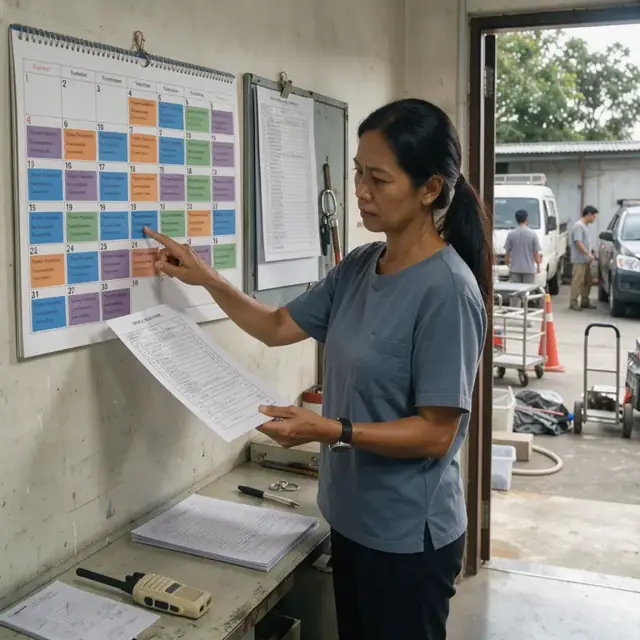
Service Scheduler and Dispatcher
Assign cremation and burial times, create work orders and coordinate all participants.
Works in: Ambitious Tasks, Ambitious Docs · Workflows: Service scheduling and dispatch
Automates
- Books time slots on the shared calendar
- Generates work orders for grave opening and crematory use
- Coordinates technician and officiant availability
- Drafts confirmation messages for families
- Updates public visitation schedule
Stops for a person
- The owner approves all final schedule changes
- Crematory technicians review retort availability and maintenance status
- A person makes all outbound calls to families

Permit and Regulatory Specialist
Track and prepare all required permits, certificates and regulatory filings for each service.
Works in: Ambitious Tasks, Ambitious Docs, Ambitious Sheets · Workflows: Permit and regulatory paperwork
Automates
- Generates permit checklists by service type
- Tracks submission status of each document
- Maintains organized digital archives
- Flags upcoming renewal or filing deadlines
- Prepares folders for health department submission
Stops for a person
- The owner reviews every permit package before filing
- People confirm which jurisdiction rules apply to each case
- The bot never certifies compliance

Plot and Memorial Inventory Manager
Maintain accurate records of available plots, niches and memorial products and track perpetual care funds.
Works in: Ambitious Sheets, Ambitious Tasks, Ambitious Docs · Workflows: Inventory and memorial product management
Automates
- Updates plot and niche availability after services
- Tracks merchandise inventory levels
- Calculates perpetual care contributions
- Generates reorder lists for supplies
- Reconciles physical counts with records
Stops for a person
- The owner approves all plot sales and large purchases
- A person performs physical inventory verification

Grounds and Equipment Dispatcher
Create daily work orders for grounds maintenance, grave preparation and crematory operations.
Works in: Ambitious Tasks, Process Optimizer · Workflows: Grounds and equipment operations
Automates
- Generates daily landscaping and maintenance tasks
- Creates precise grave location work orders
- Schedules crematory cleaning and maintenance
- Logs equipment usage hours
- Prepares service area readiness checklists
Stops for a person
- Crew leads approve daily task assignments
- The owner reviews all equipment maintenance logs
- A person operates heavy equipment for grave opening

Family Follow-up and Memorial Host
Coordinate post-service activities, send reminders and maintain long-term family relationships.
Works in: Ambitious Tasks, Email Buckets, Ambitious Docs · Workflows: Family coordination and follow-up
Automates
- Drafts thank-you packets and service summaries
- Sends marker completion and anniversary reminders
- Tracks cremains disposition status
- Generates renewal notices for care funds
- Organizes family feedback records
Stops for a person
- The owner approves and personalizes every message to families
- A person handles all sensitive communications and in-person meetings
- Disposition records are confirmed by staff before closing cases
Workflows
Inquiry intake and service selection
Starts when: A family member or funeral home inquires by phone, email, form or in-person visit
- Capture service type, deceased details, selected options for burial or cremation, memorial products and ceremony preferences
- Check availability against the master schedule for crematory time, burial plots and service rooms
- Draft a preliminary service contract with itemized pricing
- Request required documents such as death certificate or cremation authorization
- Create a master case task with all family specifications
Watch for: Exact spelling of names and dates must be verified against official records; Religious or cultural preferences must be noted precisely for ceremony planning
Contract finalization and authorization
Starts when: Family selects services and returns signed documents
- Review returned paperwork for completeness and signatures
- Verify death certificate, cremation authorization and any required permits are attached
- Calculate final costs including opening and closing fees, perpetual care and merchandise
- Draft payment plan or invoice for approval
- Lock the case record once all authorizations are received
Watch for: All legal authorizations must be obtained before any cremation or interment; Multiple family signatories may be required depending on ownership of the plot
Service scheduling and dispatch
Starts when: Contract is fully executed and permits are cleared
- Assign cremation or burial time slot on the master calendar
- Create work orders for grounds crew to open the grave or prepare the scattering garden
- Schedule crematory technician, officiant and any equipment needs
- Coordinate with family for service time and send confirmations
- Update the public schedule for visitation hours if applicable
Watch for: Crematory retort must cool between uses and requires maintenance logs; Grave opening must align with backhoe availability and weather conditions
Permit and regulatory paperwork
Starts when: After contract signing and before service date
- Generate checklists for required state, county and municipal permits
- Track submission and receipt of burial permits, cremation certificates and transit permits
- File copies with the appropriate health department or registrar
- Maintain digital and physical archives of all authorizations
- Flag any expiring or missing documents for immediate attention
Watch for: Rules for cremation versus burial differ by jurisdiction; All paperwork must be reviewed by the owner before filing
Inventory and memorial product management
Starts when: Weekly and after each service
- Update plot and niche availability map after each interment
- Track urns, caskets, markers and floral inventory against orders
- Generate reorder list for memorial merchandise and supplies
- Calculate perpetual care fund contributions per contract
- Reconcile physical counts with database records
Watch for: Burial plots are finite and cannot be oversold; Caskets and urns have specific storage requirements
Grounds and equipment operations
Starts when: Daily and on service days
- Generate daily task list for mowing, irrigation and landscaping
- Create specific grave opening and closing work orders with locations
- Schedule crematory retort maintenance and cleaning cycles
- Log equipment usage and flag any repairs needed
- Prepare service areas for families and visitors
Watch for: Grave digging must occur at precise locations using historical maps; Crematory emissions and maintenance logs are strictly regulated
Family coordination and follow-up
Starts when: After service and on anniversary dates
- Draft thank-you notes and service summary packets for families
- Send reminders for marker installation or inscription completion
- Track scattering or interment of cremains if not done at time of service
- Generate renewal notices for prepaid services or memorial care
- Collect and organize feedback from families
Watch for: Sensitivity in all communications is essential; Permanent disposition records must be updated accurately
Bot templates for this industry
- Cemeteries and Crematories (7 bots)
Source: U.S. Small Business Administration, Office of Size Standards, Table of Small Business Size Standards Matched to North American Industry Classification System Codes, version March 2023 (effective 2023-03-17, NAICS 2022). Size standards are shown for reference only.